
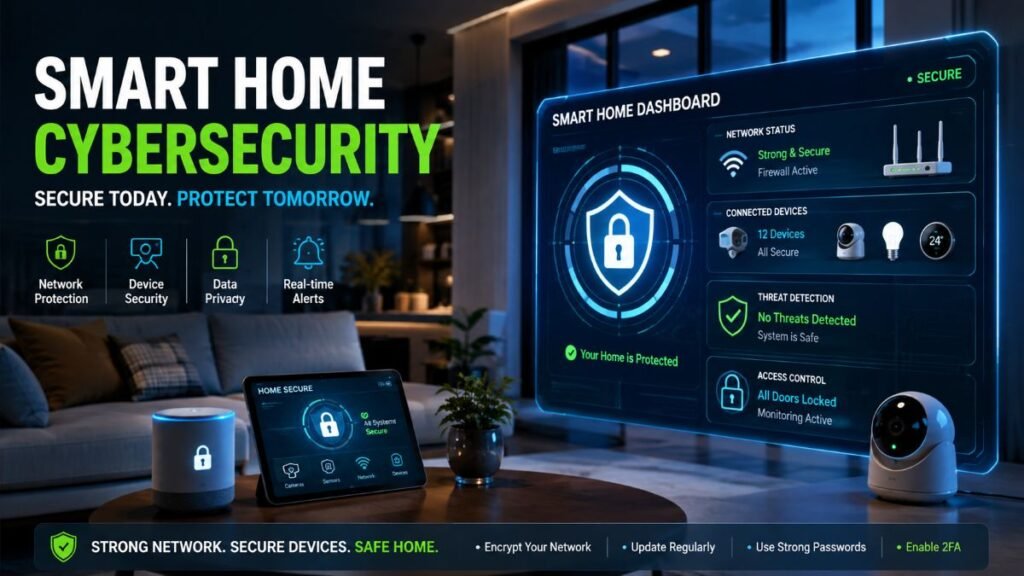
A few months ago, a close friend learned the hard way when an unauthorized user hijacked their living room camera feed. Modern automation makes life effortlessly convenient, but behind every connected lock, coffee maker, and smart bulb lies an invisible door left wide open. Protecting your family’s privacy with proper smart home cybersecurity is no longer just for tech enthusiasts—it is an essential line of defense to keep hackers out of your private personal space.
Why Smart Homes Are Prime Targets for Cyber Threats
Many U.S. homes now contain a growing ecosystem of connected devices, from smart thermostats and TVs to internet-enabled appliances and security cameras. Every single hardware addition expands your digital attack surface. Cybercriminals actively scan residential IP addresses looking for default factory passwords, outdated firmware, and poorly configured Wi-Fi networks.
When you install smart hardware without hardening your perimeter, you open potential doorways for malicious actors. According to the CISA Small Device Security Guidance, residential connected hardware frequently lacks robust built-in safeguards, making proactive user-level mitigation critical.
The Mechanics of a Breach: Real-World Lateral Movement
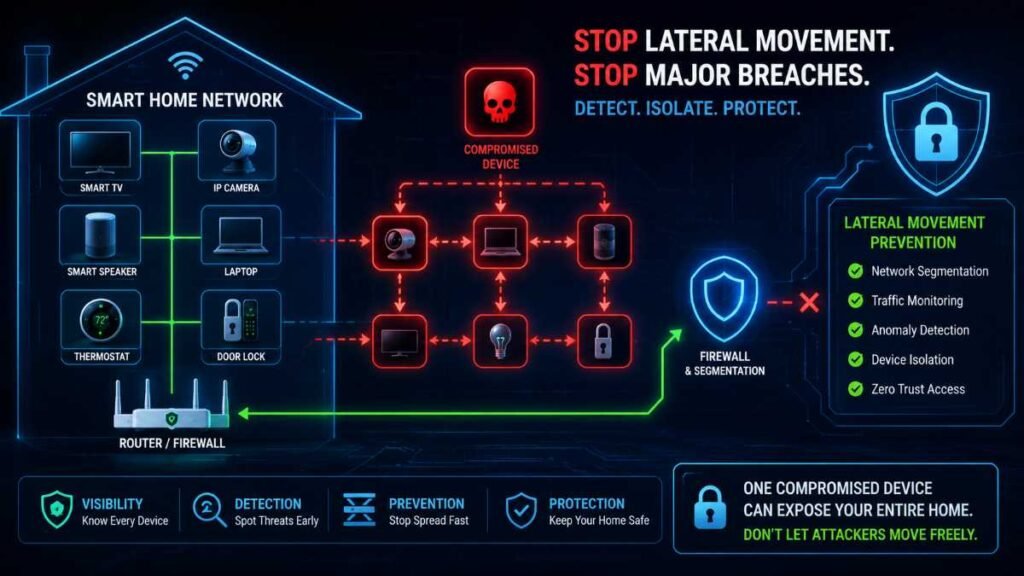
Many homeowners assume hackers only target large corporations or financial institutions. In reality, residential networks are frequently targeted by automated botnets. If an attacker breaches an unsecured smart bulb or an outdated video doorbell, the consequences extend far beyond a single compromised device.
Example: What Happens If a Smart Camera Is Compromised?
- An attacker gains remote access to the camera feed or companion account credentials.
- They attempt to maintain persistence inside the device’s internal environment.
- If the device shares a flat, unsegmented network with your primary home computers, additional systems on the local network may become targets.
- Network segmentation and strict firewall boundaries limit what the compromised peripheral can physically reach.
- Enabling multi-factor authentication (MFA) and maintaining updated firmware drastically reduces account and device compromise risks.
Furthermore, as highlighted by public guidance from the NIST IoT Cybersecurity Program, unsecured IoT devices are frequently co-opted into massive botnets used to launch distributed denial-of-service (DDoS) attacks against major web infrastructure. Protecting your perimeter through rigorous smart home cybersecurity stops these threats at the gate.
Network Architecture: Main, IoT, and Guest Segmentation
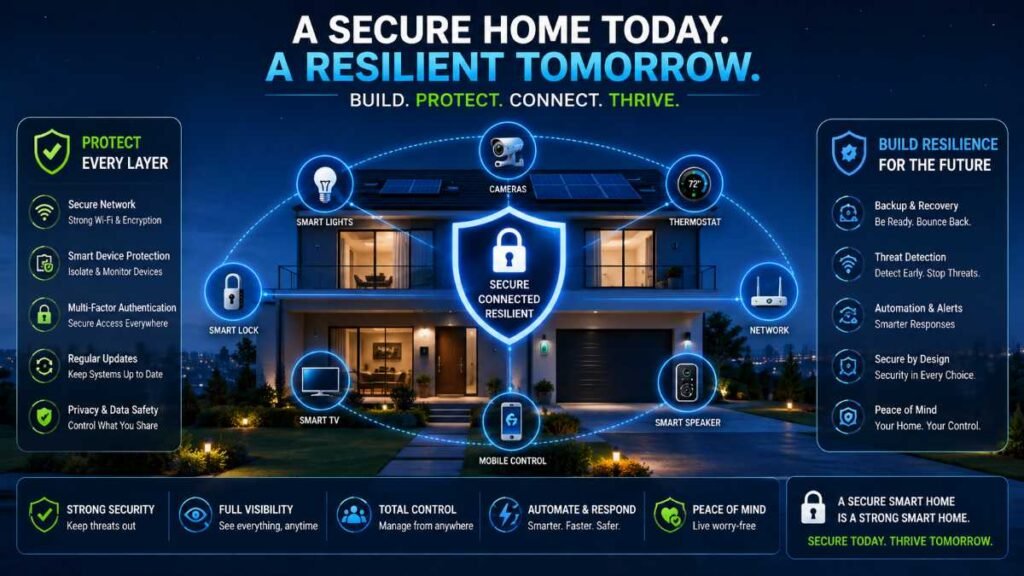
Organizing your devices into tiered zones establishes a structural defense that limits damage if a single device is compromised. However, ordinary homeowners don’t always need complex configurations right away:
- Beginner Approach: Use your router’s built-in guest or IoT network if it provides basic client isolation features. Always check your router manufacturer’s documentation, as isolation capabilities vary significantly across brands.
- Advanced Approach: Use a dedicated IoT Virtual Local Area Network (VLAN) with custom firewall rules to strictly control traffic flow between your main network and smart gadgets.
Network Tier | Connected Devices | Security Priority | Purpose & Isolation Level |
Main Network | Work laptops, personal smartphones, personal computers | Highest | Contains sensitive personal and professional data |
IoT Network | Smart TVs, smart plugs, smart bulbs, thermostats | Medium | Isolated connected devices segregated from main storage |
Guest Network | Visitor phones, temporary gadgets | Isolated | Provides temporary internet access without local file visibility |
To manage your physical entry points alongside your network, ensure you review best practices for Best Smart Locks.
Hardening Your Wi-Fi Router: The Front Door Defense
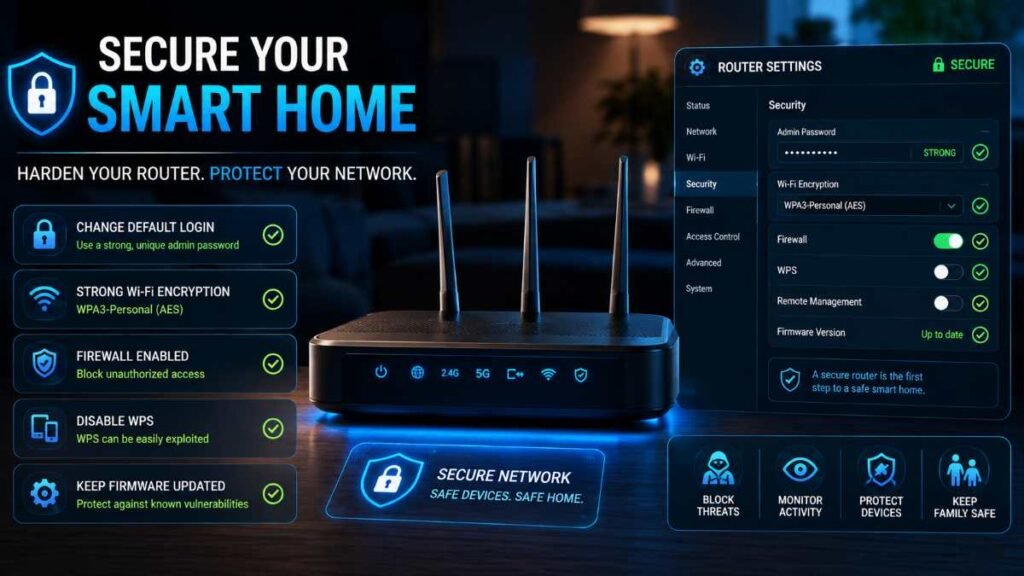
Your router acts as the front door to your digital property. A common mistake is confusing your router administration credentials with your wireless network password. Router administrator credentials control access to your router’s settings panel, while your Wi-Fi passphrase controls wireless device connection. Keep these two passwords completely separate and unique.
- Change Administrator Credentials: Never leave the factory-default username and password on your router’s admin panel.
- Update Router Firmware: Check for manufacturer firmware patches regularly to close newly discovered security loopholes.
- Use Strong Encryption: Configure your wireless settings to use WPA3 where supported; otherwise, use WPA2 with AES encryption.
- Disable WPS and Remote Management: Turn off WPS to block automated backdoor vulnerabilities, and disable remote admin access to prevent unauthorized external entry into your network settings.
For broader household electrical and hardware safety guidelines, consult the insights provided by the FTC Consumer Advice on Smart Homes.
Eliminating Vulnerabilities: UPnP and Port-Forwarding Risks
Universal Plug and Play (UPnP) allows connected devices on a local network to request automatic port-forwarding rules from a compatible router. While convenient for media servers and online gaming, this behavior may increase exposure if a device or application is compromised, as it creates unwanted pathways from the public internet.
Disable UPnP in your router’s settings unless it is strictly required, and keep remote management turned off to prevent external attackers from tampering with your network configuration. Proper smart home cybersecurity requires closing these automated exposure channels.
Securing Smart Locks, Cameras, and Doorbells
Physical access points connected to the internet demand rigorous vigilance. A compromised smart lock account or device can create a serious physical-security risk, particularly if an attacker gains the ability to authenticate or issue unlock commands.
- Unique Credentials: Never use default PIN codes or shared factory credentials on smart deadbolts.
- Privacy Zones: Configure camera motion zones to exclude public sidewalks and neighbor properties.
- Cloud vs. Local Storage: Review your cloud storage encryption policies and prioritize end-to-end encryption where available.
To integrate physical utility automation safely, you can pair your door security protocols with a Smart Plug Guide to audit what devices have persistent power and network access.
Securing Your Smart Home Hub and Ecosystem
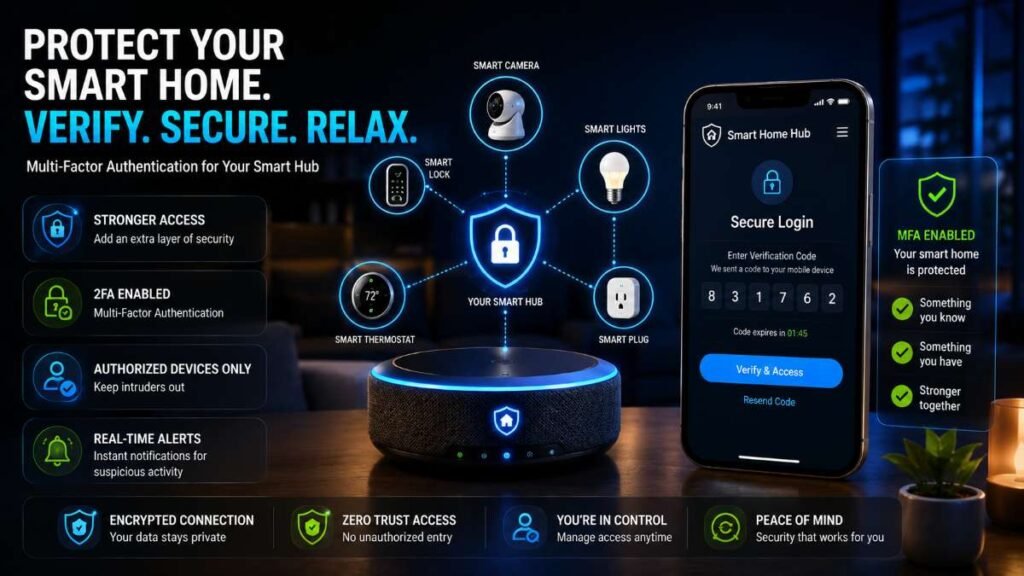
Central smart home hubs (such as Amazon Alexa, Google Home, Apple HomeKit, or SmartThings) act as the master controller for your entire automated ecosystem. Because they hold master control tokens, securing the hub app itself is critical:
- Enable MFA / Passkeys: Enforce strict multi-factor authentication on all companion apps.
- Cloud Account Recovery Security: Secure your recovery email address, verify your backup phone number, periodically review active login sessions, and sign out unknown or legacy devices.
- Audit Household Accounts: Periodically remove old household members, guests, or former roommates who no longer live on the premises.
- Review Third-Party Integrations: Frequently audit connected skills, actions, and third-party apps that have permission to read or control your hardware.
Voice-Assisted Purchasing: Restrict voice-activated purchasing rules with a mandatory PIN code to prevent unauthorized orders
Before Buying a Smart Home Device: Essential Security Checks
Evaluating hardware before purchasing is a vital part of maintaining long-term smart home cybersecurity:
- Security Update Commitment: Does the manufacturer explicitly state how long they will provide firmware and security patches?
- MFA/Passkey Support: Does the companion account support multi-factor authentication or passkeys for account protection?
- Automatic Updates: Can security updates install automatically in the background without manual user friction?
- Privacy Controls: Does the company clearly explain how user data and video feeds are stored, encrypted, and shared?
- Local Control Options: Can the device function locally without routing all data through third-party cloud servers?
- End-of-Support Policy: What happens when the product reaches the end of its supported life cycle?
Passwords, MFA, and the Reality of the VPN
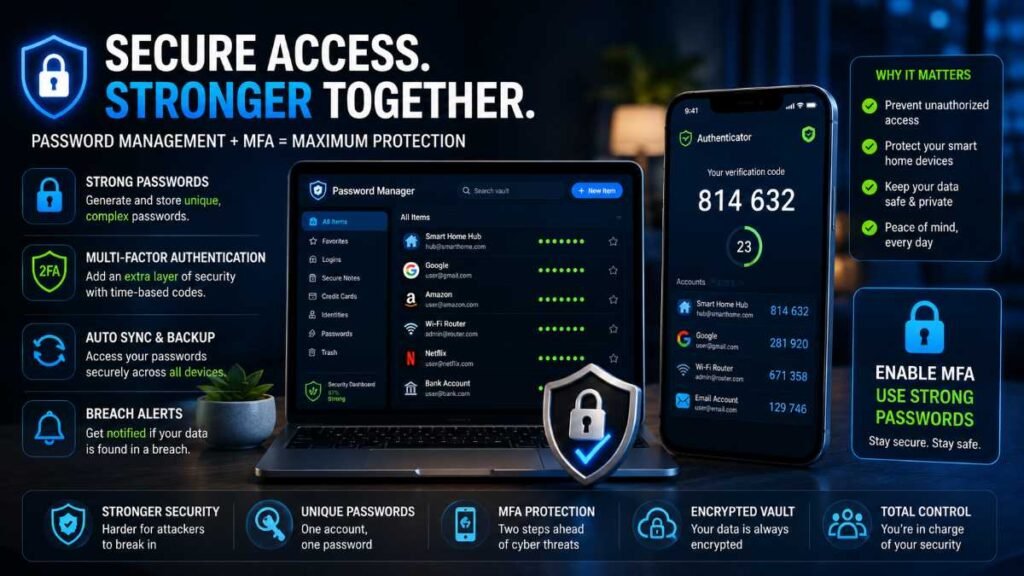
Relying on simple, repeated passwords invites account takeovers. Smart home companion apps and cloud portals should use unique, strong credentials backed by Multi-Factor Authentication (MFA) via authenticator apps or hardware keys.
Additionally, many homeowners mistakenly believe that installing a Virtual Private Network (VPN) on their router instantly guarantees complete smart home cybersecurity. While a router-based VPN successfully encrypts data traveling between your home and external servers, it does not protect against local network threats, such as compromised inter-device communication or outdated firmware vulnerabilities within your walls. Treat a VPN as a privacy tool for traffic routing, not as a silver bullet for total IoT defense.
Firmware Updates, End-of-Support, and What to Do If Hacked
Managing Unsupported Hardware
A smart device’s security depends heavily on receiving timely software updates. Once a device reaches end-of-support and no longer receives security patches, evaluate whether it can be safely isolated on an offline VLAN or whether it should be disconnected and replaced to prevent exploitation.
What to Do If You Think Your Device Has Been Compromised
If you suspect a smart device or account has been hacked, follow these immediate containment steps:
- Disconnect the Device: Unplug the compromised hardware or drop it from your network immediately.
- Secure the Account: Change the compromised device’s account password and verify your recovery email settings.
- Factory Reset and Repatch: Perform a hard factory reset on the hardware and apply the latest firmware before reconnecting.
- Review Sessions: Check active sessions on your master router and companion apps, revoking access for unfamiliar devices.
- Reconnect Securely: Reconnect the device to an isolated IoT network only after completing the reset and securing the associated account.
10-Minute Smart Home Security Checklist
- [ ] Log into your router and change the admin password (keeping it separate from your Wi-Fi passphrase).
- [ ] Ensure your Wi-Fi encryption is set to WPA3 (or WPA2 with AES).
- [ ] Create a separate guest or IoT network for smart plugs and bulbs.
- [ ] Enable Multi-Factor Authentication (MFA) on all smart home companion apps.
- [ ] Update firmware on your router, smart locks, and security cameras.
- [ ] Disable UPnP on your router if it is not actively required.
- [ ] Review camera motion zones and cloud privacy sharing settings.
- [ ] Audit master hub account recovery details and active sessions.
- [ ] Disable remote administration on your router.
- [ ] Remove or replace any unsupported, outdated smart devices.
Conclusion: Building a Resilient Digital Ecosystem
Securing your digital ecosystem isn’t a one-time setup—it’s an ongoing habit. By locking down your network and protocols today, robust smart home cybersecurity ensures your automated convenience never compromises your family’s safety and privacy.
People also search for
Q1: What is the best smart home security system without a subscription?
Local-storage platforms like Home Assistant or Eufy provide top-tier smart home cybersecurity without forcing you into monthly fees or risky cloud plans.
Q2: What is the truth about home security systems and device providers?
The truth is many hardware vendors charge recurring fees while storing data in vulnerable clouds, making local hardware control essential for smart home cybersecurity.
Q3: How can I find a reliable smart home security device provider or contact number?
Always check official manufacturer portals or verified entities like Smart Home Security LLC to verify support details and ensure maximum smart home cybersecurity.
Q4: Where can I get a smart home security system project PDF?
You can download open-source technical guides and smart home cybersecurity blueprints directly from verified developer communities and official home automation repositories.
Author By: Dambar C. Rajbanshi About: A renovation strategist and home improvement enthusiast. Dambar specializes in budget-smart planning and functional kitchen design. He is dedicated to helping homeowners create spaces that perfectly balance beauty and practicality