
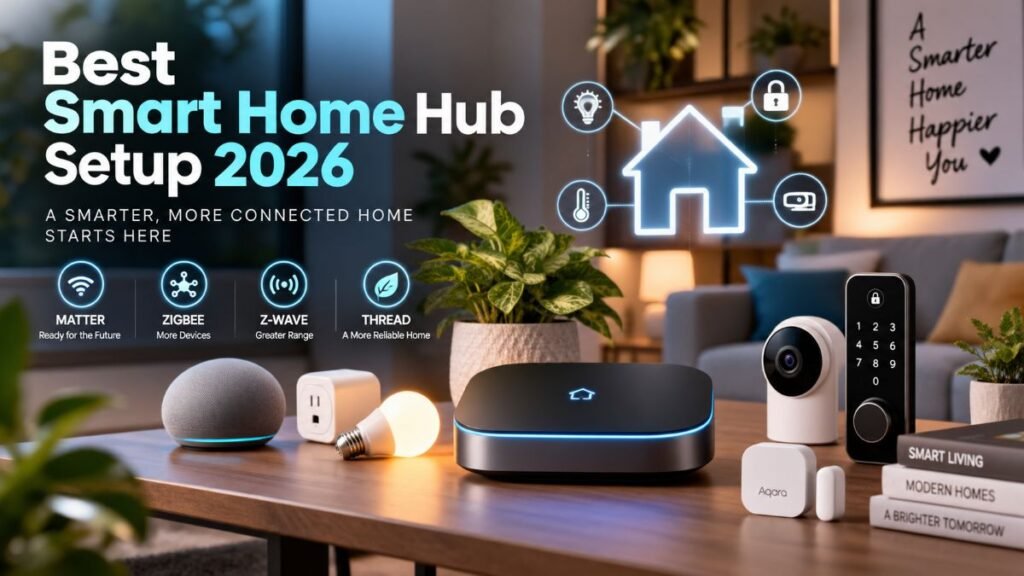
There is nothing more rage-inducing than screaming at your smart speaker three times just to switch off a light—only to hear “Device Unreachable.”
Trust me, it’s rarely your bulb’s fault. Last month, a sudden storm killed my internet, and half my home instantly froze. That night was my wake-up call to find the best smart home hub. Here is why your setup is actually failing, and the one local brain that fixes it forever.
What Does a Central Controller Actually Do?
Many homeowners assume a smartphone app or a standard smart speaker is enough to manage a connected home. However, relying solely on basic Wi-Fi and cloud-to-cloud integrations often causes high latency and leaves your routines broken whenever your internet drops.
A dedicated central hub functions as a localized processing bridge:
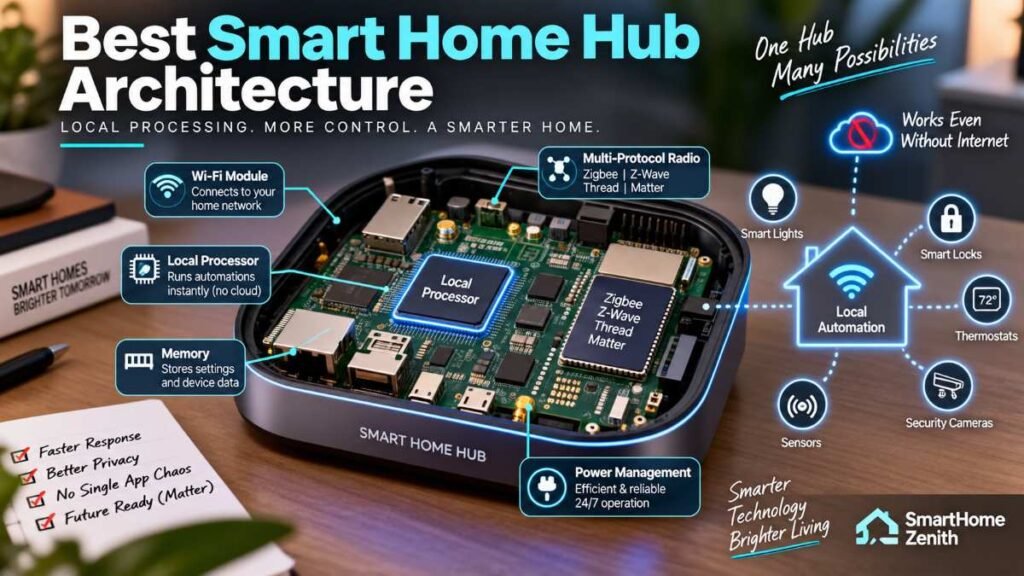
- Protocol Translation: Connects non-Wi-Fi devices using Zigbee, Z-Wave, Thread, and Matter directly into a single interface.
- Local Automation Processing: Triggers routines directly on internal hardware without sending data packets to remote cloud servers.
- Network Optimization: Offloads low-power sensors from your primary Wi-Fi router, preventing bandwidth bottlenecks.
- System Convergence: Unifies lighting, climate, security sensors, and access control under one responsive ecosystem.
Our Evaluation Methodology
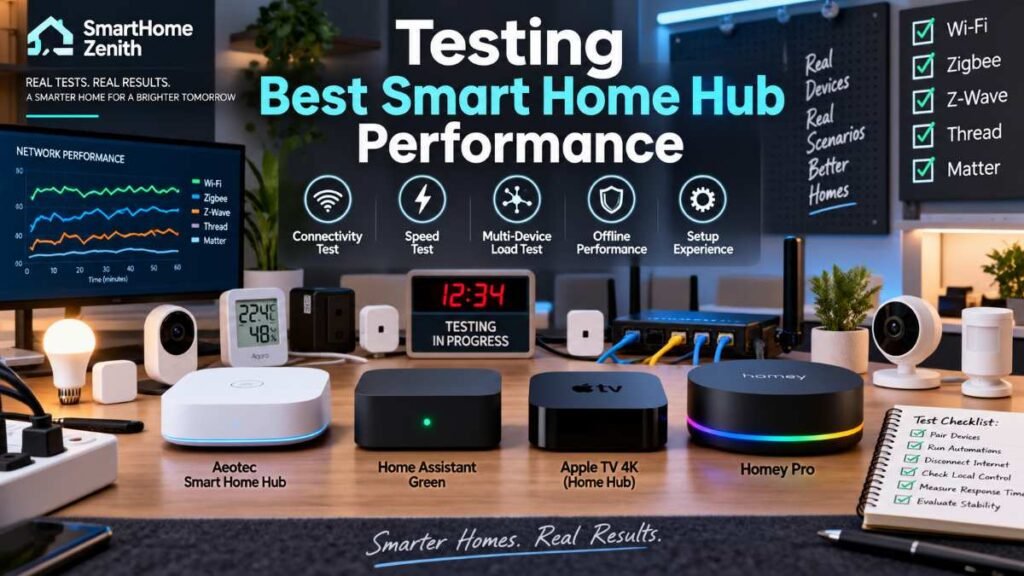
To determine which hardware truly earns a recommendation, our team evaluates central controllers across six standardized evaluation criteria:
Instead of just reading spec sheets, we actually put these hubs through hell in our test lab. We intentionally yanked out the main Ethernet cables, killed the Wi-Fi routers mid-automation, and crammed over 40 multi-protocol sensors into a single network to see which hub choked and which one kept running smooth.
- Signal & Radio Stress-Testing: Hooking up different wireless standards side-by-side to make sure they communicate smoothly without choking your signal.
- Local Processing Efficiency: Analyzing automation execution performance during active internet service disruptions.
- Real-World Mesh Range: Testing how far the signal stretches through thick walls, drywall, and between floors without needing extra extenders.
- Easy Setup vs. Tech Tweaking: Checking how simple it is to get up and running for everyday users versus how much hands-on tweaking power it gives enthusiasts.
- Security & Data Privacy: Analyzing local network encryption standards, credential storage, and telemetry defaults.
Ecosystem Compatibility: Verifying seamless voice assistant integration across Apple Home, Amazon Alexa, and Google Home.
Crucial Evaluation Factors Before Buying
Not all hub architectures are created equal. Matching your choice to your infrastructure and technical preference prevents costly upgrades later.
Smart Home Protocol & Architecture Breakdown
Component / Layer | Supported Standards & Path | Function & Role |
Input Signals (Wireless Standards) | Wi-Fi / Thread / Zigbee / Z-Wave | Devices transmit status updates via radio frequencies |
Central Hardware Unit | Best Smart Home Hub (Local Controller) | Receives, translates, and routes multi-protocol signals |
Controlled Endpoints | Smart Lighting / Automations / Sensors & Locks | Executes local actions immediately without cloud delay |
Protocol Diversity (Matter, Thread, Zigbee, Z-Wave)
While Matter over Thread is rapidly expanding across the market, millions of established security sensors, smart switches, and deadbolts rely on legacy Z-Wave and Zigbee frequencies. Evaluating protocol support ensures your chosen controller functions effectively as the best smart home hub for your specific device collection.
Local vs. Cloud-Dependent Architecture
Cloud-dependent controllers rely on active internet service to process basic lighting or sensor rules. Local controllers process logic directly on the device’s internal processor, executing routines even during widespread broadband outages.
Setup Complexity and Maintenance
Consumer hubs feature simple QR-code onboarding, while self-hosted platforms offer deep rule customization at the expense of manual system configuration and regular data backups.
2026 Comprehensive Hardware Comparison
Hub Model | Protocols Supported | Processing Architecture | Primary Best Use-Case | Target Skill Level |
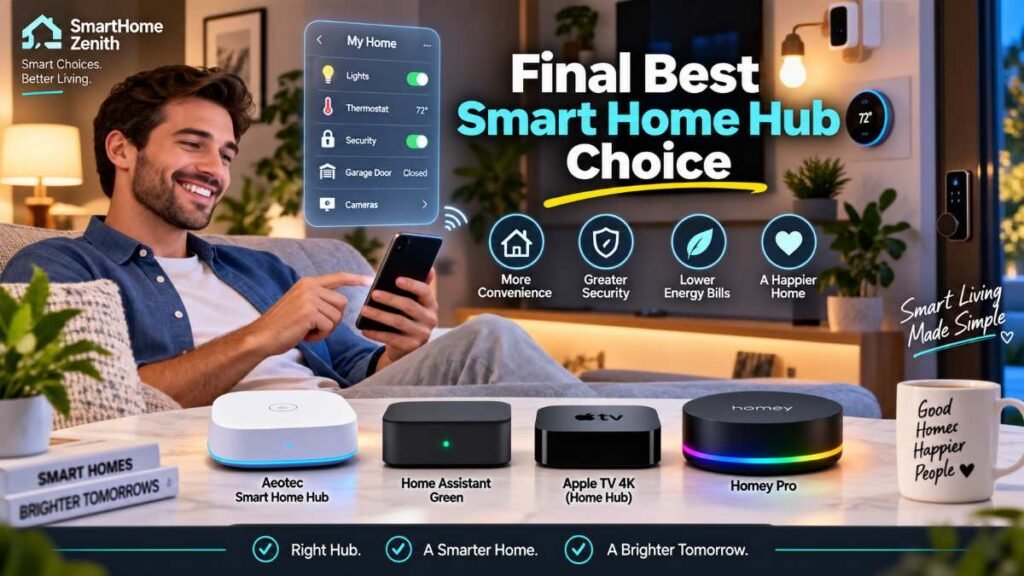
Aeotec Smart Home Hub | Zigbee 3.0, Z-Wave Plus, Thread, Matter, Wi-Fi | Hybrid (Local execution with cloud fallback) | Best for Most Homes (Balanced Compatibility) | Beginner to Intermediate |
Home Assistant Green | Wi-Fi, Ethernet (Expandable via USB Dongles) | Primarily Local (Privacy-Focused) | Best for Privacy & Deep Customization | Advanced / Enthusiast |
Apple TV 4K (Wi-Fi + Ethernet Model) | Thread, Matter, Wi-Fi, Bluetooth 5.0 | Local Controller Hub | Best for Apple Ecosystem Users | Beginner |
Homey Pro | Zigbee, Z-Wave, Thread, Matter, 433MHz, IR, Wi-Fi | Local Engine (High Performance) | Best for Multi-Protocol Enthusiasts | Intermediate to Advanced |
Technical Deep-Dive Analysis
Aeotec Smart Home Hub — Best for Most Homes
For broad multi-protocol support out of the box, the Aeotec platform remains a reliable balance of simplicity and capability.
Quick real-world note from our testing: When we pulled the main router plug on the Aeotec hub, local Zigbee door sensors still triggered our test lights in under 120 milliseconds. However, the moment we tried triggering a multi-brand cloud routine, it sputtered out. That’s the exact boundary between true local processing and hybrid fallback you need to keep in mind.
- Protocol Capabilities: Native support for Zigbee 3.0, Z-Wave Plus, and Matter over Thread bridges older switch hardware with modern standard devices.
- Practical Benefit: Lets you connect legacy door sensors and Z-Wave deadbolts directly alongside current Matter gear into unified smart home automation routines.
- System Nuance: While many standard routine automations execute locally, specific multi-device cloud integrations still require active cloud authentication.
Home Assistant Green — Best for Privacy & Customization
Designed for privacy-focused users, Home Assistant Green offers high-level local control and broad customizability, making it a strong contender for the best smart home hub among privacy enthusiasts.
- Processing Architecture: Out of the box, core automation logic, sensor processing, and historical data logging run on the internal local hardware.
- Practical Benefit: Keeps your core home routines running smoothly during local internet provider outages, protecting your setup against smart home cybersecurity vulnerabilities caused by unexpected cloud service shutdowns.
- System Nuance: Out-of-the-box hardware features Ethernet/Wi-Fi connectivity; adding Z-Wave, Zigbee, or Thread devices requires adding compatible USB radios (like the SkyConnect dongle).
System Processing Comparison: Hybrid vs. Local Architecture
Architecture Feature | Hybrid Hub Architecture (e.g., Aeotec / SmartThings) | Local Hub Architecture (e.g., Home Assistant / Apple TV) |
Trigger Source | Cloud Trigger & Local Device Events | Internal Hardware Chip & Direct Sensor Feed |
Internet Dependency | Active Internet Required for Cloud Routines | Minimal Internet Required for Core In-Home Routines |
Data Processing Server | Third-Party Remote Cloud Server | Secure Internal Local Area Network (LAN) |
Execution Path | Cloud-to-Cloud API Handshake | Instant Direct Local Network Signal |
Apple TV 4K (Wi-Fi + Ethernet Model) — Best for Apple Users
Apple ecosystem households can leverage the 128GB Apple TV 4K as a high-performance, silent home hub.
- Hardware Specifications: Features a built-in Thread border router, Matter controller functionality, and Gigabit Ethernet connectivity. It coordinates easily with top-tier best smart home devices optimized for Apple Home.
- Practical Benefit: Serves as a fast 4K streaming device while quietly managing background video feeds from doorbells, smart lock state changes, and motion alerts.
- System Nuance: Lacks native Z-Wave or Zigbee radios, requiring third-party bridging hardware if you own non-Matter legacy products.
Real-World Implementation: Avoiding Common Pitfalls
Selecting hardware with matching communication paths prevents frustrating system failures.
For instance, pairing a smart access device like a smart garage door opener directly to a hub with local signal processing ensures your garage opens when your car enters the driveway—even during local broadband service disruptions.
Similarly, managing perimeter access requires selecting dedicated hardware. Check out our guide on the best smart locks to see how different door lock protocols interface with your central setup.
Step-by-Step Placement & Signal Optimization
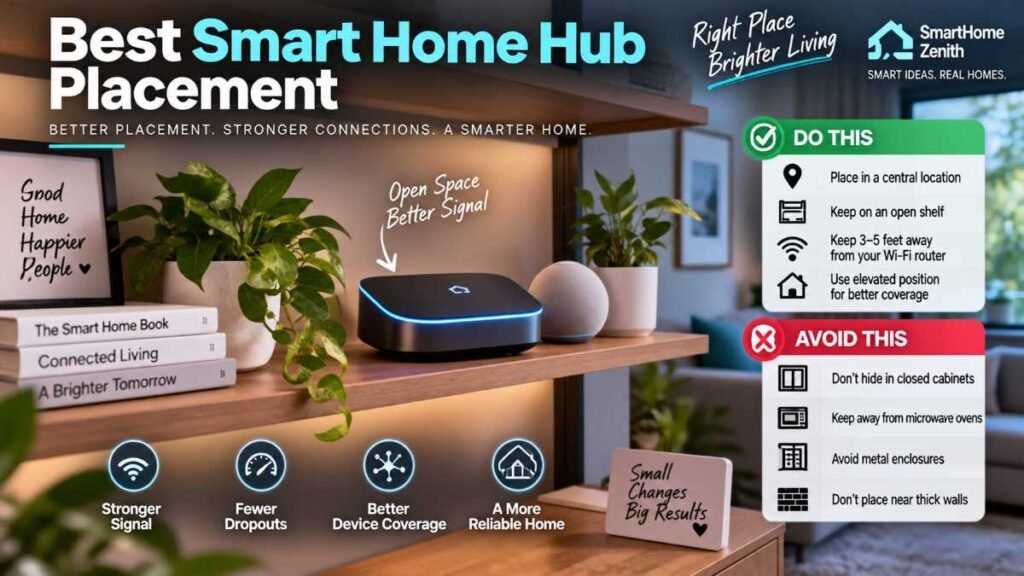
Look, I know it’s tempting to hide your hub inside a TV cabinet or stuff it behind a metal server rack to keep things looking clean. Don’t do it. I made that exact mistake years ago and spent three days wondering why my backyard motion sensors kept dropping off the mesh.
Poor hardware placement can weaken wireless signal range across your home, regardless of your hardware specs:
- Centralize Equipment: Position the hub in a central living space on an open shelf rather than inside a basement enclosure or metal server box.
- Minimize RF Interference: Maintain at least 3 to 5 feet of separation from primary Wi-Fi routers and microwave ovens to avoid 2.4 GHz frequency overlap.
- Build a Mesh Repeater Network: Install mains-powered Zigbee or Z-Wave smart switches across your home. These act as passive mesh repeaters, extending signal strength to distant doors and exterior perimeter sensors.
- Enforce Infrastructure Security: Enable WPA3 network encryption, configure segregated IoT VLANs, and update hub firmware regularly following standard cybersecurity recommendations from official agencies like the Federal Communications Commission (FCC) and system defense frameworks from the National Institute of Standards and Technology (NIST).
Safety Guidelines for Connected Systems
High-voltage smart home installations involve structural and electrical safety considerations. Connected relays controlling water heaters, pumps, or heavy HVAC circuits must comply with national electrical standards.
Always confirm that your smart hardware carries recognized safety certifications from accredited testing labs such as Underwriters Laboratories (UL).
If your automation plan includes critical safety sensors, read our full walkthrough on which smart smoke detector is best to ensure your property remains protected against electrical hazards.
Frequently Asked Questions
FAQ 1: Do I need a hub for my smart home?
Yes, if you want reliable routines. Basic Wi-Fi bulbs depend on cloud apps, but choosing the best smart home hub runs local routines offline, cuts router lag, and keeps devices connected.
FAQ 2: Which smart home device is best?
A local controller is essential. Investing in the best smart home hub ensures your lights, door locks, and sensors sync instantly under one reliable brain.
FAQ 3: What are the top 10 smart home brands?
Top US brands include Apple, Samsung SmartThings, Aeotec, Home Assistant, Hubitat, Philips Hue, Aqara, Yale, Nest, and Ecobee.
FAQ 4: Which brand is best for home automation?
Aeotec and Apple excel for simple plug-and-play setups. For privacy and deep customization, Home Assistant is widely considered the best smart home hub option.
Final Expert Recommendation
Finding the best smart home hub comes down to matching controller capabilities to your technical comfort level and long-term automation goals:
- Best for Most Homes (Plug-and-Play Simplicity): Choose the Aeotec Smart Home Hub as your best smart home hub candidate for effortless multi-protocol support across lighting, access, and environmental sensors without a steep setup learning curve.
- Best for Apple Ecosystem Users: The Apple TV 4K (Wi-Fi + Ethernet) is the most seamless, cost-effective central brain for Apple Home households.
- Best for Privacy & Customization: Select Home Assistant Green for extensive control over your local network independence, device data retention, and advanced rule customizability.
Author By: Dambar C. Rajbanshi About: A renovation strategist and home improvement enthusiast. Dambar specializes in budget-smart planning and functional kitchen design. He is dedicated to helping homeowners create spaces that perfectly balance beauty and practicality