
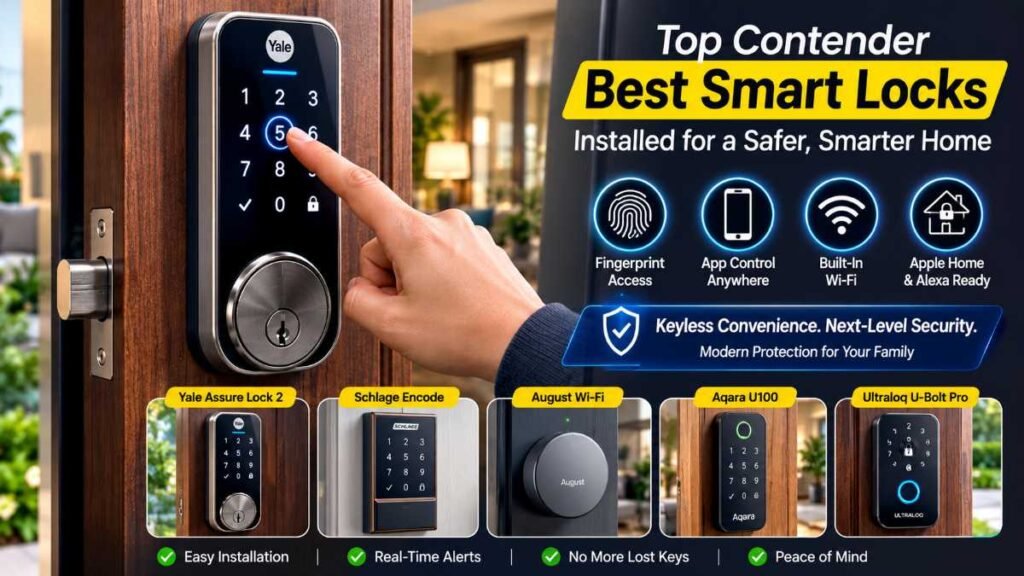
Quick Answer: The best smart locks in 2026—including the Yale Assure Lock 2, Schlage Encode WiFi, August Wi-Fi Smart Lock, Aqara U100, and Ultraloq U-Bolt Pro—offer an exceptional balance of multi-platform compatibility, biometric access, and advanced encryption, making traditional mechanical keys obsolete for modern homeowners.
Standing on your porch with arms full of groceries while fumbling for misplaced keys is a frustrating daily friction point—and realizing halfway to work that you forgot to lock up triggers instant panic. Even worse, security data reveals that a staggering number of burglaries happen simply because a front door was left unlocked or a basic deadbolt was easily bypassed. If you want to bulletproof your household security while eliminating physical keys forever, integrating the best smart locks into your entryway is the most critical hardware upgrade you can make today.
Featured Snippet: Top Smart Locks Compared at a Glance
For homeowners who want a quick, side-by-side technical breakdown before diving into deeper research, here is how the industry-leading models stack up in performance, connectivity, and value:
Smart Lock Model | Wi-Fi Connectivity | Biometric / Fingerprint | Apple Home Support | Estimated Starting Price |
Yale Assure Lock 2 | Yes (Modular) | Optional Variant | Yes | $130 |
Schlage Encode WiFi | Built-In | No (Touchscreen Only) | Via HomeKit / Key | $258 |
August Wi-Fi Smart Lock | Built-In | No (Retrofit Adapter) | Yes | $220 |
Aqara U100 | Zigbee + Built-In | Yes | Yes (Home Key) | $190 |
Ultraloq U-Bolt Pro | Built-In | Yes | Optional Bridge | $150 |
The Modern Front Door Dilemma: Why Traditional Deadbolts Fall Short
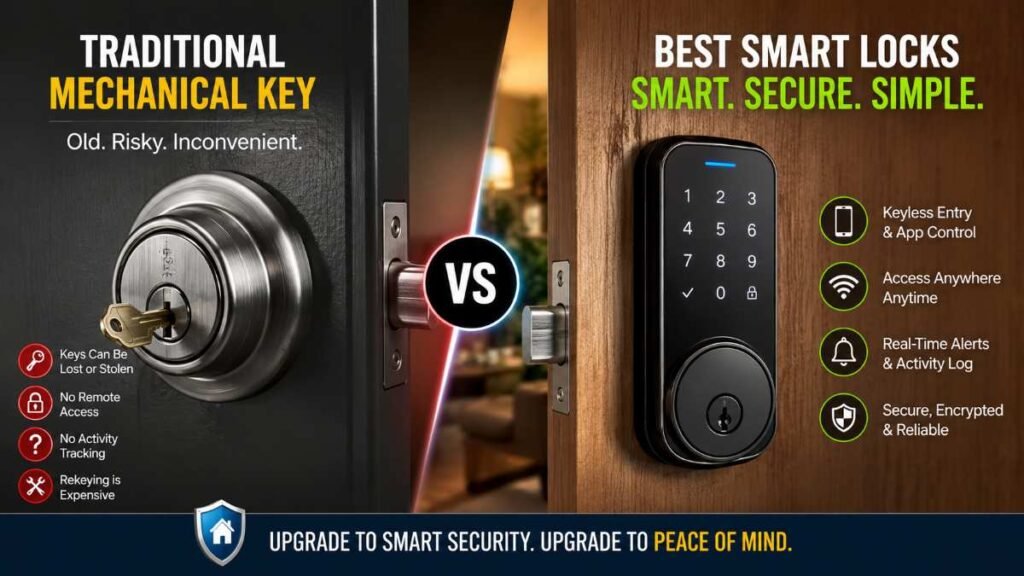
We tend to trust the deadbolt that came pre-installed on our front door implicitly. It feels built to last. It feels genuinely heavy-duty. Turning it manually gives a crisp, satisfying mechanical click that just screams durability. It just screams durability. However, basic mechanical locks come with inherent vulnerabilities that modern smart home tech solves effortlessly.
The Hidden Vulnerabilities of Mechanical Keys
- Lost or Stolen Keys: Handing out physical spare keys to dog walkers, cleaners, or kids creates an uncontrolled security risk. If a key is lost, rekeying or replacing the entire lock cylinder is a hassle and an added expense.
- That nagging road-trip panic: halfway down the highway and suddenly stressing over whether you locked the back door. Traditional locks give you zero way to check or fix it from miles away.
- Zero Audit Trail: With standard locks, you have no idea who entered your home or precisely when they did.
Transitioning to advanced access control shifts the power back into your hands. Whether you are managing family arrivals or letting in emergency service workers while you’re miles away, modern entry systems redefine household safety.
Understanding Your Hardware Options: Deadbolts vs. Retrofits vs. Levers
Before diving into specific product lineups, it helps to understand how these systems physically interface with your door Every entry door has its own unique setup. Pick the wrong latch style, and your entire installation hits a brick wall right out of the gate.
+————————————————————————–+
| SMART LOCK HARDWARE TYPES|
+————————–+———————————————–+
| Full Deadbolt Replacement| Replaces interior & exterior components |
| Retrofit Adapter | Keeps exterior keyway, swaps interior thumb |
| Lever / Doorknob Style | Built for apartments & secondary entries |
If you are planning a broader overhaul of your household systems, proper setup planning is essential. Just like managing a major smart home installation, taking your time to verify your door’s backset and borehole dimensions prevents frustrating alignment errors down the line.
Full Deadbolt Replacements
These units swap out your existing mechanical deadbolt entirely. They offer the cleanest aesthetic and house powerful internal motors, numerical keypads, or biometric fingerprint scanners right on the exterior escutcheon.
Retrofit Adapters
Renters or anyone wanting to keep their current outdoor keyholes will find retrofit adapters absolute lifesavers. They mount entirely on the interior side of your door, replacing the manual thumb-turn with a motorized unit. It is a brilliant way to gain app-based connectivity without alerting your landlord or changing your exterior curb appeal.
Smart Levers and Doorknobs
Many side doors, garage entry points, and apartment doors do not feature separate deadbolts; instead, they use an integrated latch and handle. For these applications, specialized doorknob or lever-replacement options deliver robust code and app access without requiring drilling.
Top Contenders: Breaking Down the best smart locks on the Market
Navigating the landscape of connected door hardware can feel overwhelming, especially with legacy security giants and nimble tech startups all vying for your attention. To help narrow down your choices, let’s examine the standout models dominating the market.
Yale Assure Lock 2: The Versatile All-Rounder
Finding that sweet spot between sleek design, cross-platform smart home support, and rock-solid dependability isn’t easy—yet the Yale Assure Lock 2 nails every single requirement effortlessly.
- Why It Stands Out: Its compact footprint avoids the bulky, industrial look of older electronic deadbolts. It offers modular communication options (Wi-Fi or Bluetooth modules) so you can scale your network connectivity as needed.
- Daily Utility: Creating temporary digital guest passes for contractors or family members takes seconds through the accompanying smartphone application.
August Wi-Fi Smart Lock: The Retrofit Champion
If you love your current exterior key setup or live in a neighborhood where HOA guidelines restrict exterior hardware changes, August remains the gold standard for interior adapters.
- Why It Stands Out: Installation requires little more than a screwdriver. It slips effortlessly over your existing single-cylinder deadbolt on the inside of the door.
- Seamless Integration: It features rich, deep smart home integrations that pair wonderfully with broader smart home automation routines, allowing your entryway to trigger interior lighting or disarm security panels the moment you unlock the door.
Schlage Encode Smart Wi-Fi Deadbolt: Hardware Reliability
Schlage has spent decades building a legendary reputation in traditional physical security, and their electronic line translates that robust build quality into the digital age.
- Why It Stands Out: Exceptional mechanical durability paired with built-in Wi-Fi means you don’t necessarily need a separate bridge or hub to connect it to your router.
- User Experience: The responsive touchscreen is coated to prevent fingerprint smudges from revealing your frequently used passcode digits to opportunistic onlookers.
Evaluating Security Ratings, Battery Life, and Eco-Efficiency
When investing in home protection, raw software features mean very little if the hardware fails under pressure. Industry testing metrics—such as BHMA Grading Information—give us a transparent look at how these units handle physical stress.
+————————————————————————–+
| BHMA SECURITY GRADING SYSTEM |
+————————–+———————————————–+
| Grade 1 | Commercial-grade maximum security & strength |
| Grade 2 | Built to meet strict everyday household security codes|
| Grade 3 | Ideal for interior rooms or side doors needing basic privacy
+————————–+———————————————–+
When evaluating your purchase, always look for Grade 1 or Grade 2 certifications to ensure your motorized deadbolt can withstand physical kick-in attempts just as well as a heavy-duty traditional lock. Additionally, referencing guidelines from organizations like the National Institute of Standards and Technology (NIST) helps ensure that connected devices implement robust data encryption and secure local protocols.
Power Management and Batteries
One of the most common hesitations people have about switching to electronic entry systems is the fear of being locked out due to a dead battery.
- Typical Lifespan: Most quality units run on 4 AA lithium or alkaline batteries, lasting anywhere from 6 to 12 months depending on local Wi-Fi signal strength and daily usage frequency.
Fail-Safe Design: Manufacturers anticipate power loss. Nearly all models feature physical key overrides hidden beneath a magnetic cover, or exterior terminal contacts allowing you to jump-start the keypad with a standard 9V battery in an emergency.
Overcoming Common Installation and Connectivity Hurdles
Even the finest hardware can become frustrating if your physical environment fights against it. Here are a few hard-earned takeaways pulled straight from years of hands-on, real-world testing:
Dealing with Binding and Alignment
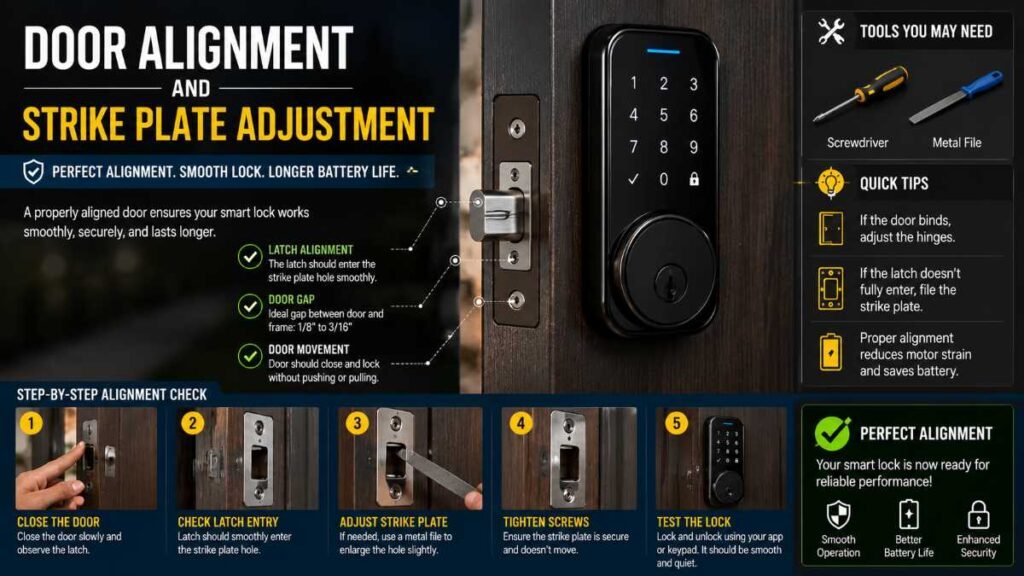
If your current deadbolt requires you to pull or push the door slightly to get the key to turn smoothly, do not install a smart lock yet. Motorized deadbolts have limited torque and cannot overcome structural binding caused by seasonal door warping or sagging hinges.
- The Fix: File down the strike plate slightly or adjust your door hinges before mounting your new hardware. A smooth mechanical path ensures long motor life and prevents battery drain.
Wi-Fi Range and Battery Drain
Smart locks that connect directly to your home Wi-Fi network are wonderfully convenient because they eliminate the need for a separate hub. However, if your front door is far from your router, the lock’s internal radio will constantly struggle to maintain a handshake, burning through its batteries at an alarming rate.
The Fix: If you experience frequent offline status alerts, consider installing a mesh Wi-Fi node near your entryway or opting for a Bluetooth/Z-Wave model paired with a dedicated smart plug bridge located closer to your router.
Making Your Call: Which One Suits Your Daily Life?
Choosing the ideal hardware ultimately comes down to your personal living situation, design preferences, and existing device ecosystem:
- Choose a full replacement deadbolt like the Yale or Schlage models if you are building new, renovating, or simply ready for a complete aesthetic refresh of your front entryway.
- Choose a retrofit adapter like the August system if you rent, live in a managed community with strict exterior rules, or want to keep using your existing exterior house keys.
- Choose a doorknob or lever replacement if your main entry point lacks a separate deadbolt and relies purely on a standard turning latch.
Beyond securing your perimeter, homeowners looking to optimize other areas of household comfort often explore modern upgrades like best smart thermostats to synchronize climate control with their arrival and departure schedules.
Conclusion: Take Action for Peace of Mind
Transitioning away from physical keys is more than a flashy tech trend—it is a fundamental upgrade to your family’s daily peace of mind and home security infrastructure. No more hidden spare rocks by the porch, no more wondering if the house is secure while you’re away on vacation, and no more awkward lockouts in the rain.
Your Actionable Next Steps:
- Audit Your Door: Check your existing borehole, backset, and whether you have a separate deadbolt or an integrated lever handle.
- Determine Your Ecosystem: Check whether your household relies primarily on Apple Home, Google Home, or Amazon Alexa to ensure seamless app integration.
- Inspect Alignment: Ensure your current door swings and latches smoothly without manual pushing or pulling before ordering your new hardware.
Make the switch today, and experience the effortless security that the best smart locks bring to your daily homecoming.
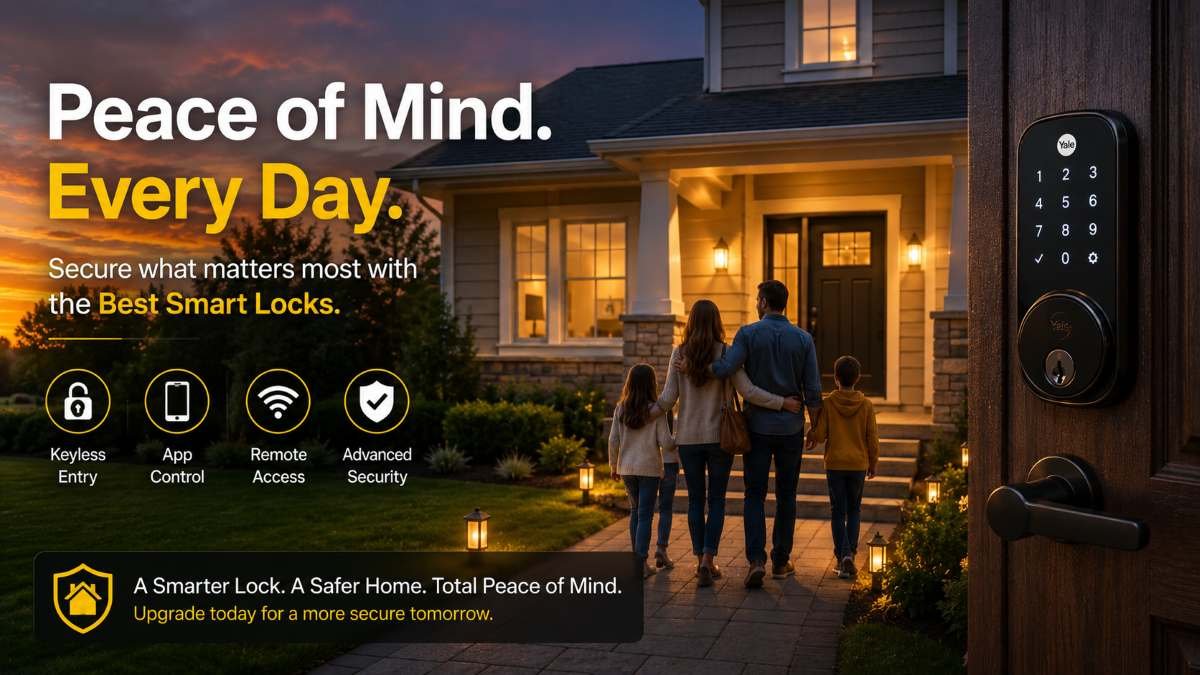
Frequently Asked Questions
1: What makes the best smart locks ideal for home security?
The best smart locks blend biometric scanners, encrypted keypads, and app controls to deliver keyless convenience without compromising physical entry protection.
2: Can I install smart locks on multipoint or specialized doors?
Yes. Specialized retrofit modules and tailpiece adapters allow smart hardware to interface smoothly with multipoint locking systems without major door modifications.
3: Are smart locks compatible with brands like Bold, Simpled, or Ultion?
Most models support universal euro-cylinder replacements and standard boreholes, letting you upgrade hardware without changing your whole door or frame.
4: How do I choose the best smart locks for my needs?
Prioritize long battery life, physical key overrides, and native smart home compatibility to ensure these best smart locks offer reliable daily performance.
Author By: Dambar C. Rajbanshi About: A renovation strategist and home improvement enthusiast. Dambar specializes in budget-smart planning and functional kitchen design. He is dedicated to helping homeowners create spaces that perfectly balance beauty and practicality