
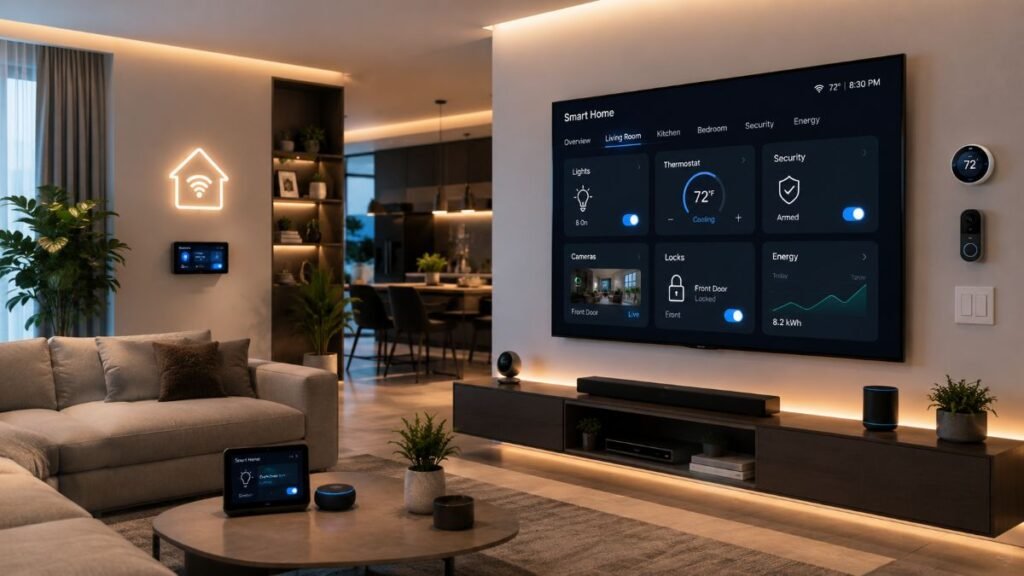
Ever sat in your hallway waiting an agonizing three seconds for a smart bulb to respond, or watched your entire living room ecosystem flatline because your ISP decided to drop connection? For homeowners who want faster responses and greater control over connected devices, local-first smart home automation can reduce dependence on cloud services and help keep compatible routines running during internet outages. Building a high-performance household network requires moving away from fragile server-dependent models and investing in robust physical infrastructure that prioritizes speed, security, and local processing.
The Real Cost of Cloud Dependency
Most beginner installations anchor their entire ecosystem to distant commercial cloud servers. When you trigger a wall switch or voice assistant, your command loops hundreds of miles away before returning home. This introduces frustrating latency, constant telemetry tracking, and fragile dependencies that break the moment your internet connection stutters.
- Server Outages and Local Freezes: When external data centers experience downtime, cloud-dependent switches and door locks suddenly stop responding locally, leaving homeowners stranded.
- Telemetry and Privacy Leaks: Some cloud-connected devices transmit usage data or media to vendor services, depending on their features, privacy settings, and data policies.
- Bandwidth Bottlenecks: Heavy internet use can delay cloud-dependent commands, while local automations may avoid that internet bottleneck. Both can still be affected by congestion or interference on the home network.
Transitioning to local-first infrastructure helps reduce dependency on external cloud services and minimizes response latency. For technical guidelines on safeguarding digital privacy, see the insights provided by the Electronic Frontier Foundation. Furthermore, standardizing your core infrastructure with robust hardware choices ensures seamless cross-brand communication, matching expert insights found over at Network World. This approach can reduce reliance on external services, although overall reliability still depends on device compatibility, local network stability, and power availability.
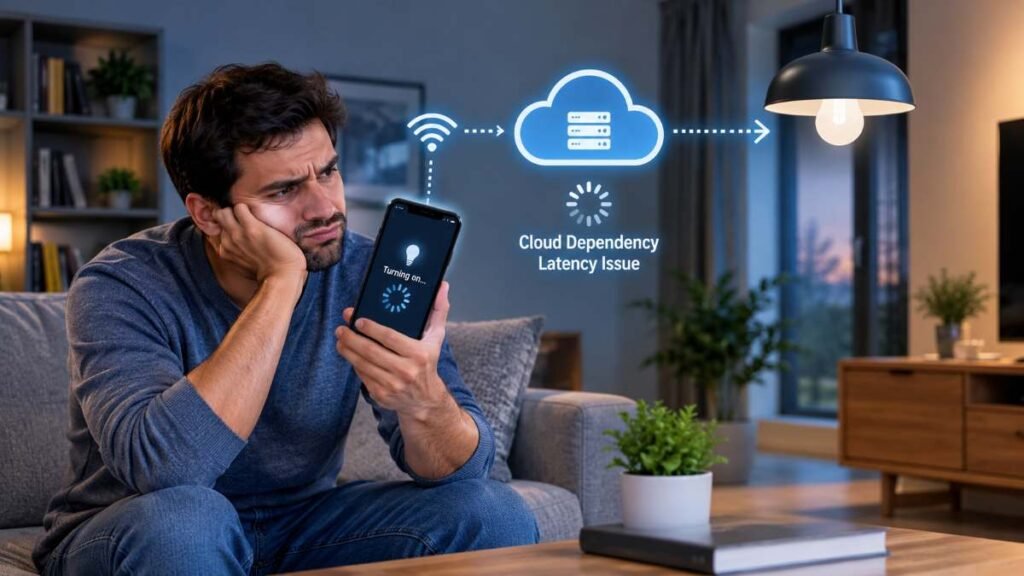
A Practical Example of Local Reliability
Consider a hypothetical mid-sized suburban home where cloud-dependent automations become unavailable during an internet outage. A compatible local hub may keep selected routines running during a network drop, provided the hub, local network, and target devices remain powered and support offline execution. Migrating core devices to a dedicated local mesh controller helps establish a more self-contained environment, though actual performance depends heavily on local hardware configuration and device support.
When configuring such a setup, evaluating your daily friction points is essential. Instead of automating trivial tasks, focus first on high-traffic areas like entry lighting, climate regulation, and perimeter security. With compatible local devices and a properly configured hub, selected automations can respond without sending commands to an external cloud service. Actual response times vary by device and network conditions.
Network Segmentation and Traffic Isolation
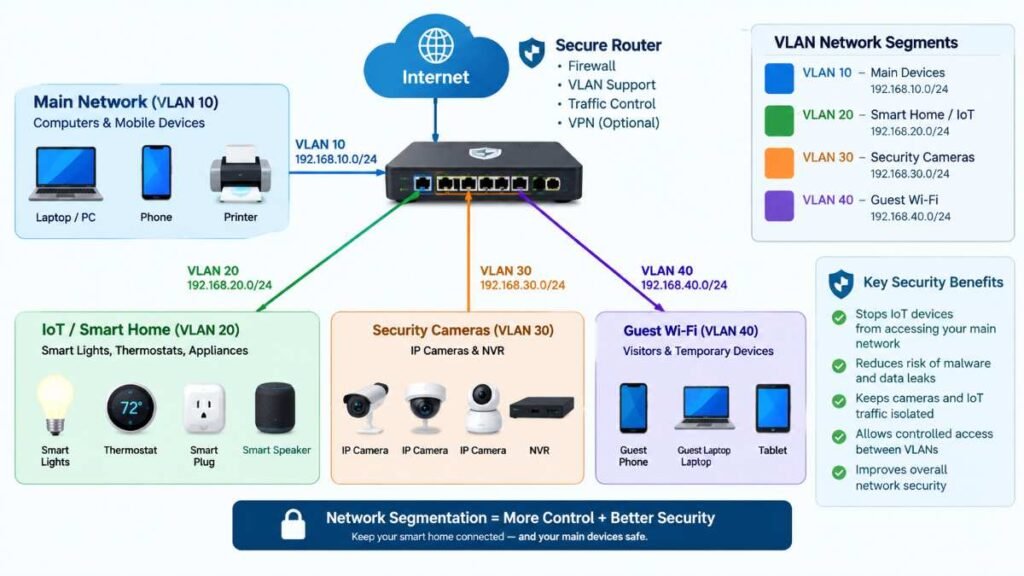
One of the most frequent oversight errors in custom residential builds is dumping fifty wireless cameras, smart plugs, and voice assistants onto a single unsegmented consumer router channel. When many devices compete for limited wireless capacity, congestion or interference can contribute to delayed responses and intermittent connectivity, depending on the router and network configuration.
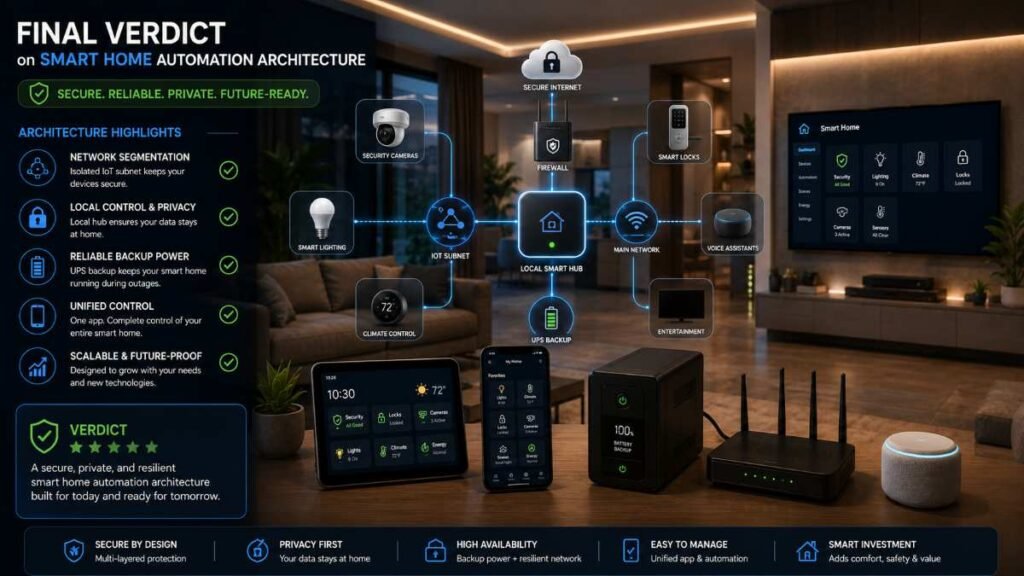
Implementing dedicated IoT subnets or a modern mesh network helps isolate rogue device traffic. A mesh Wi-Fi system improves wireless coverage, while VLANs and subnets provide logical network separation. They solve different problems, and effective IoT isolation requires compatible router hardware, correctly configured firewall rules, and appropriate access controls. Properly configured network segmentation can improve security and help contain compromised devices. However, it does not automatically eliminate congestion or guarantee faster automation responses; Wi-Fi interference, router performance, and network configuration still matter.
Wireless Protocol Options
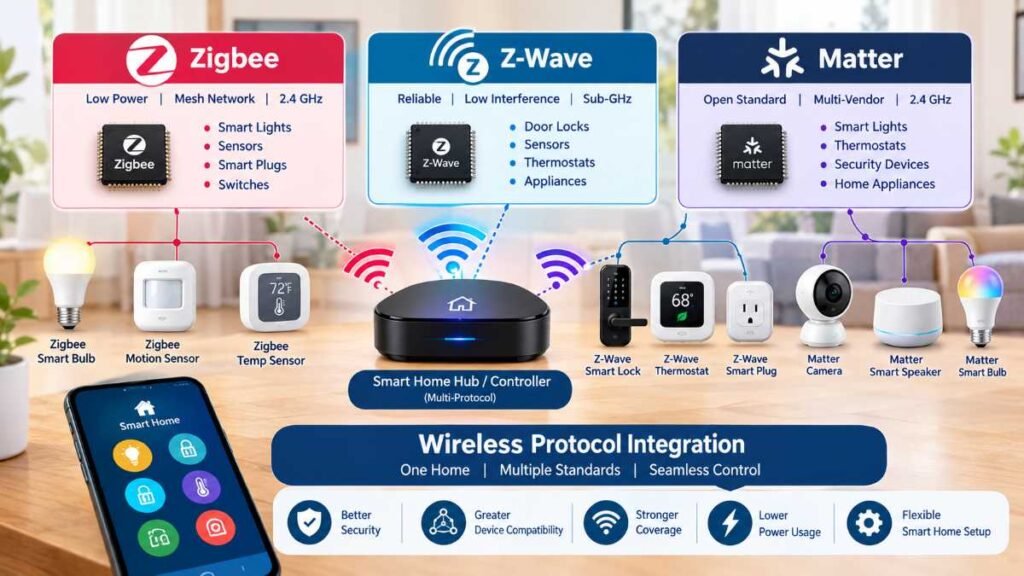
Using devices across different wireless protocols without checking hub, bridge, and controller compatibility can lead to connectivity problems and unreliable automations.
- Zigbee Protocol: Operates primarily on the 2.4GHz frequency band, requiring proper channel planning to avoid interference with standard Wi-Fi networks. For formal specifications, consult the Connectivity Standards Alliance.
- Z-Wave Protocol: Operates in sub-GHz spectrum in the US, avoiding direct competition with 2.4GHz Wi-Fi channels. Actual range and wall penetration depend on building materials, device placement, and radio conditions. Official specifications, compliance certifications, and technical guidelines are maintained directly by the Z-Wave Alliance.
- Matter Standard: An interoperability layer designed to unify cross-brand devices locally on compatible networks. Note that true offline functionality ultimately depends on individual device architecture, controller capabilities, and local integration support.
For a complete, step-by-step roadmap on configuring these wireless layers properly, check out our in-depth resource on Smart Home Installation. Selecting compatible protocols and properly configuring the network can improve reliability and reduce device dropouts as your smart home automation ecosystem expands.
Climate Control and Energy Savings
Modern residential ecosystems yield measurable utility savings through intelligent climate management and dynamic temperature scheduling. Certified high-efficiency equipment adheres to strict performance benchmarks, enabling automated routines to curtail needless heating and cooling cycles during vacant hours. Overall efficiency gains depend heavily on home layouts, regional weather conditions, and daily occupant habits. For in-depth evaluation criteria, explore the official guidelines outlined by ENERGY STAR Smart Thermostats.
Focus Domain | Expected Operational Impact | Recommended Hardware Setup |
Temperature Control | Eliminating idle thermal usage via pre-set automated routines | Programmable Thermostats & Presence Beacons |
Moisture Monitoring | Early prevention of severe structural water damage | Automatic Shut-off Solenoids & Leak Detectors |
Perimeter Safeguards | Enhanced intrusion resistance and active boundary monitoring | Encrypted Entry Deadbolts & Local Motion Nodes |
Configuring smart routines maintains ideal indoor comfort while preventing needless resource wastage. To discover extra ways to maximize household efficiency and trim monthly utility costs, check out our expert guide on Energy Efficient Windows. Fine-tuning your daily thermal thresholds significantly reduces redundant HVAC cycles, though final financial savings naturally vary based on your local climate and personal habits.
Power Redundancy and Surge Safety
Even a sophisticated local controller will power down instantly if a severe mid-summer electrical storm or winter freeze knocks out your neighborhood grid entirely. Overlooking backup infrastructure leaves motorized door locks and vital security relays completely unresponsive during critical moments.
- Deploying Battery Backup: Setting up a dedicated Uninterruptible Power Supply (UPS) for your main network switch, core server equipment, and local hub ensures continuous operation during sudden brownouts, governed by total device wattage.
- Assessing True Capacity: When picking a backup unit, look past surface-level VA numbers; carefully analyze continuous watt ratings, battery discharge curves, and total connected load.
- Reviewing Manufacturer Specs: Checking official manufacturer runtime documentation guarantees you select a device capable of sustaining your networking gear through temporary power loss.
- Examining Safety Guidelines: For professional electrical resilience benchmarks and infrastructure metrics, consult technical resources provided by the U.S. Department of Energy.
- Implementing Surge Defense: Equipping your main electrical panel with whole-house protection, as highlighted in our guide on Whole House Surge Protectors, shields sensitive electronics from sudden transient voltage spikes.
- Recognizing System Bounds: While whole-home protection significantly lowers the likelihood of catastrophic transient damage, it cannot stop every physical fault or completely guarantee equipment survival against major surges.
Extending Control Outdoors
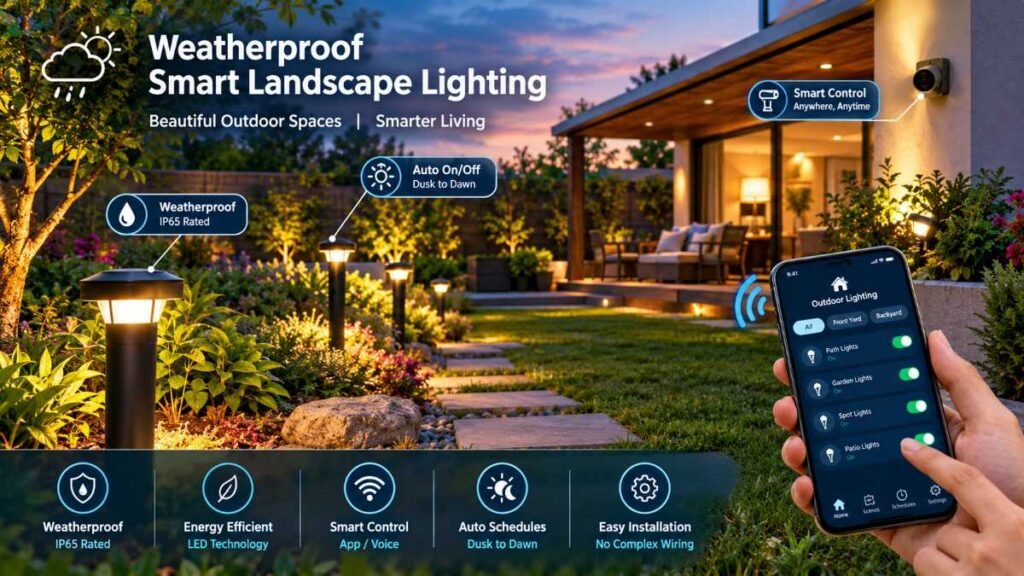
Robust connectivity shouldn’t end at your back door. Bringing strong wireless signals to exterior patio spaces, pool enclosures, or detached outbuildings lets you manage landscape lighting, automated irrigation, and outdoor entertainment gear seamlessly in any weather.
Proper utility layout is crucial when undertaking exterior property enhancements. Coordinating your outdoor hardware selections with our insights on Outdoor Kitchen Ideas ensures all weather-rated smart switches and control nodes are installed securely from the outset. Merging external zones into your primary smart home automation ecosystem enables automatic dusk-to-dawn accent lighting and reliable perimeter tracking, effectively transforming your yard into a safe, functional continuation of your indoor living environment.
Local AI and Automation Planning Checklist
The next evolution of residential technology moves far beyond rigid time schedules into localized artificial intelligence. Advanced local processors evaluate computer vision and occupancy signals right on physical hardware without transmitting sensitive video feeds to remote cloud servers. By interpreting daily behavioral cues locally, modern properties can eventually anticipate lighting adjustments, pre-condition living zones before entry, and manage security parameters instantly, provided appropriate local computing power is installed.
Before acquiring new hardware, use this structured checklist to ensure a frictionless transition:
- Confirm Offline Capabilities: Verify that selected hardware supports fully local operation without requiring an active internet link.
- Validate Hub Integration: Make sure your primary local controller natively supports your preferred communication protocols without extra bridges.
- Design Network Segmentation: Establish dedicated virtual networks and firewall policies before introducing heavy wireless peripheral loads.
- Calculate Backup Needs: Determine necessary battery sizing by reviewing continuous wattage draws and runtime charts for your routers and hubs.
- Audit Privacy Policies: Investigate where analytical logs are processed locally and which automation features remain fully operational during external internet dropouts.
Final Verdict
Upgrading your living space is a journey that doesn’t need to happen all at once. By taking charge of your network foundation, prioritizing local execution speeds, and embracing true smart home automation, you can achieve an exceptionally responsive, private, and resilient modern household.
Frequently Asked Questions
Q1. What is smart home automation?
Smart home automation involves linking household appliances and entertainment nodes to a centralized local controller, allowing devices to operate seamlessly without manual inputs.
Q2. How to automate a smart home?
Begin your smart home automation journey by selecting a robust local hub, standardizing your wireless communication protocols like Zigbee or Z-Wave, and establishing dedicated IoT subnets.
Q3. Why do smart homes often lag or disconnect?
Heavy reliance on cloud servers, unsegmented Wi-Fi traffic, and router congestion are major bottlenecks that disrupt daily smart home automation performance.
Q4. How to learn smart home automation?
Mastering smart home automation requires studying mesh networking layouts, evaluating local controller firmware, and understanding how to isolate device traffic for maximum speed and privacy.
External Resources
Editorial Disclaimer
This article provides objective, educational guidance based on industry documentation and technical research. Actual system performance and energy savings vary based on individual hardware selection and home layout. Always consult certified professionals when modifying electrical panels or network architecture.
Author Bio
Dambar C.P. Rajbanshi is a seasoned renovation strategist specializing in residential automation and functional home design. Explore more expert frameworks across our network, including our guide on the Best Smart Home Hub.