
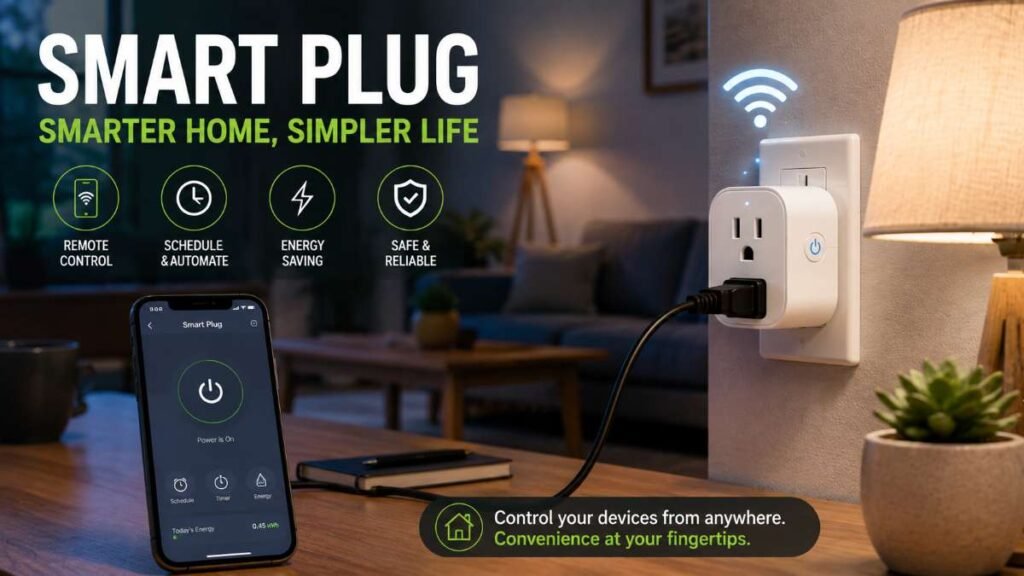
Ever left home in a panic, wondering if you forgot to turn off the iron or heater?
That constant anxiety isn’t just stressful—idle appliances silently bleed electricity, driving up your power bills every single month.
The good news? You don’t need expensive rewiring or a full smart home makeover. In this smart plug guide, you’ll discover how a simple, budget-friendly adapter turns any standard device into a remote-controlled smart appliance.
Ready to eliminate energy waste and automate your routine in minutes? Let’s dive in.
Understanding Smart Plugs and How They WorK?
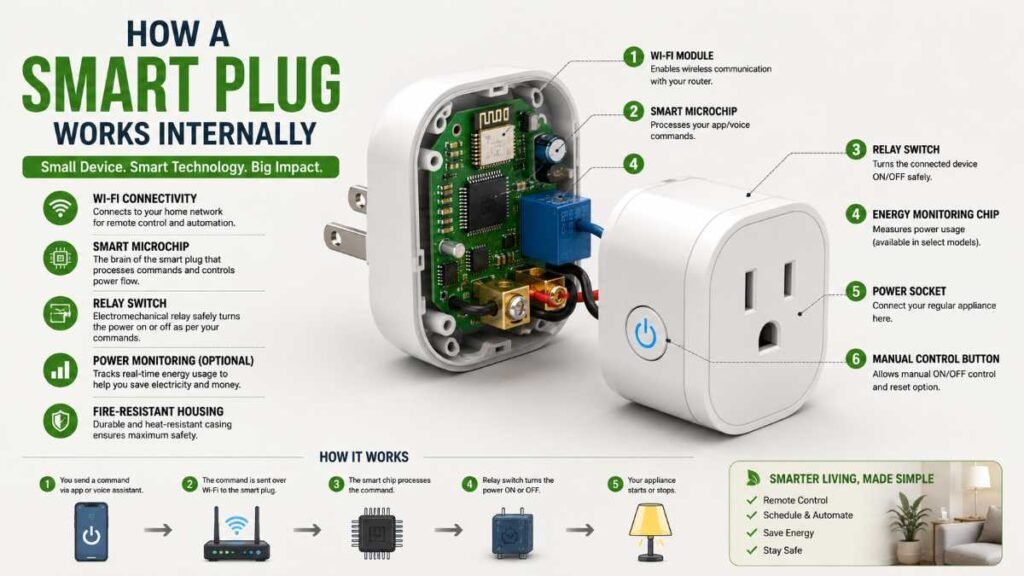
At its core, a smart plug Guide is a portable electrical adapter that sits directly between your standard wall socket and any conventional appliance cord. While a traditional wall outlet delivers continuous, manual power, a smart plug acts as an intelligent intermediary built with an internal Wi-Fi or Bluetooth microchip.
After linking it to your Wi-Fi using the mobile app or syncing with Alexa or Google Assistant, you get complete remote control over any attached appliance.
The Simple Setup Process
Installing a smart plug requires zero technical wiring or tools:
- Plug It In: Insert the unit directly into any standard wall outlet or power strip.
- Connect to Wi-Fi: Open the manufacturer app (such as Kasa or Wemo) and pair the device to your home network.
- Attach Your Appliance: Plug a regular desk lamp, fan, or humidifier into the front receptacle of your smart plug Guide.
Because these devices translate digital app commands into physical power states instantly, you can manage appliances from anywhere globally. For a deeper look into broader home upgrades, check out this guide on smart home automation.
Why Every Modern Home Needs a Smart Plug
Skeptics often wonder why they need intelligent adapters when traditional wall switches have worked fine for generations. The real value lies in daily safety, automated routines, and measurable energy conservation.
Eliminating Phantom Energy Loss
According to data from the U.S. Department of Energy, standby power—electricity consumed by appliances while switched off or in standby mode—accounts for roughly 5% to 10% of a home’s residential energy use. By scheduling your smart plug Guide to cut power entirely to entertainment centers or kitchen gadgets overnight, you actively stop this silent drain.
Unmatched Safety and Remote Monitoring
Leaving heat-generating devices unattended creates severe household fire risks. A reliable smart plug allows you to check power status remotely using your phone and cut power immediately if an appliance was left running accidentally.
Seamless Daily Automation
Instead of manually clicking switches every morning and night, automated routines handle repetitive tasks in the background. You can program lamps to illuminate at sunset, humidifiers to cycle on during dry afternoons, and fans to activate before you walk through the door.
Comparative Analysis: Smart Plug Brands and Feature Breakdown
Choosing the right hardware depends heavily on your smart home ecosystem preferences, appliance load capacities, and budget. Here is a clean side-by-side comparison of leading industry options:
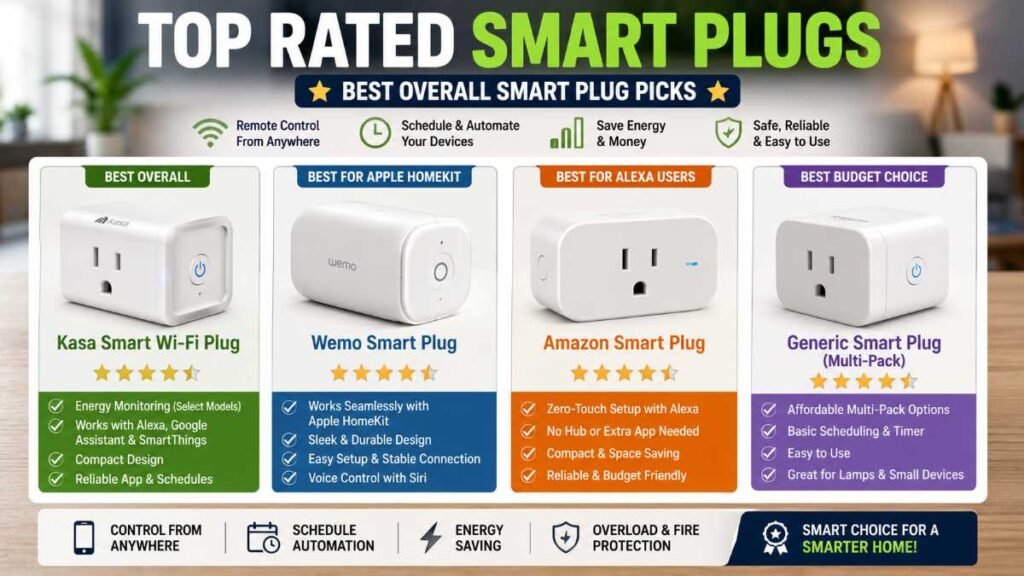
Key Feature | Kasa Smart Wi-Fi Plug | Wemo Smart Plug | Amazon Smart Plug | Generic Budget Plugs |
Ecosystem Compatibility | Alexa, Google Assistant, SmartThings | Apple HomeKit, Alexa, Google | Amazon Alexa Only | Basic App / Limited Support |
Power Consumption Tracking | Available (on selected variants) | Not Available | Not Available | Rarely Included |
Physical Design | Space-saving slim profile | Medium footprint | Ultra-compact design | Varies by brand |
Installation Ease | Extremely Simple | Easy | One-click auto setup | Standard setup |
Ideal Primary Use Case | Overall home automation & bill tracking | Apple ecosystem & HomeKit setups | Dedicated Alexa-powered homes | Simple timer routines & lamp control |
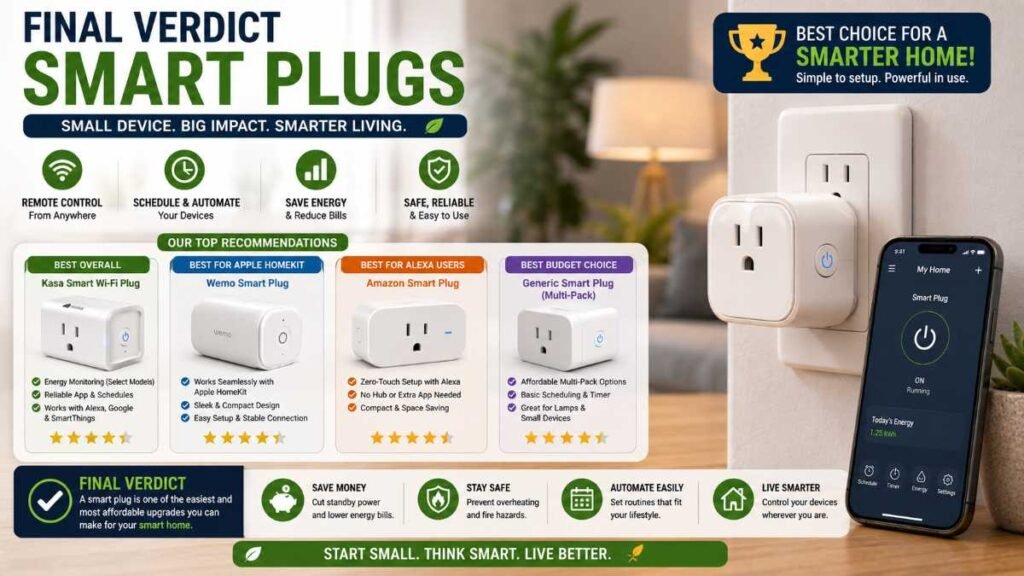
Our Top Expert Picks
To streamline your buying decision, here are our top model recommendations based on specific user needs:
- Best Overall: Kasa Smart Wi-Fi Plug — Offers robust app stability, reliable local schedules, and optional energy tracking at an incredible price point.
- Best for Apple HomeKit: Wemo Smart Plug — Integrates smoothly with Apple’s native Home app without requiring complicated bridge hardware.
- Best for Alexa Users: Amazon Smart Plug — Features seamless zero-touch setup directly within the Alexa ecosystem.
Best Budget Choice: Generic Multi-Pack Plugs — Ideal for simple lamp schedules across multiple rooms without extra ecosystem bells and whistles.
How to Choose the Right Smart Plug
With dozens of options available, selecting the right device requires aligning features with your specific household goals:
- Best for Amazon Alexa Users: The Amazon Smart Plug integrates directly into the Alexa app without requiring third-party software installation, offering zero-touch setup.
- Best for Apple HomeKit Homes: The Wemo Smart Plug works seamlessly out-of-the-box with Apple’s Home app, making it ideal for iPhone and iPad users.
- Best for Energy Tracking: If you want granular data on how many kilowatt-hours your appliances consume, choose models from brands like Kasa that offer built-in ammeters.
- Best Budget Choice: If you just want basic lamp automation without advanced ecosystem bells and whistles, basic multi-pack budget plugs get the job done affordably.
Future-Proofing Your Setup: Matter and Thread Support
As smart home technology evolves, interoperability has become a top priority for modern buyers. Modern smart plugs increasingly support the Matter connectivity standard and Thread networking protocols. Choosing Matter-compatible hardware ensures your devices will communicate fluidly across Apple Home, Google Home, Amazon Alexa, and Samsung SmartThings without being locked into a single proprietary ecosystem. If you are building a long-term home setup, checking for Matter compatibility is a wise investment.
Practical Use Cases: Where Smart Plugs Shine Brightest
Applying these devices to everyday household bottlenecks delivers immediate, tangible value.
In the Kitchen
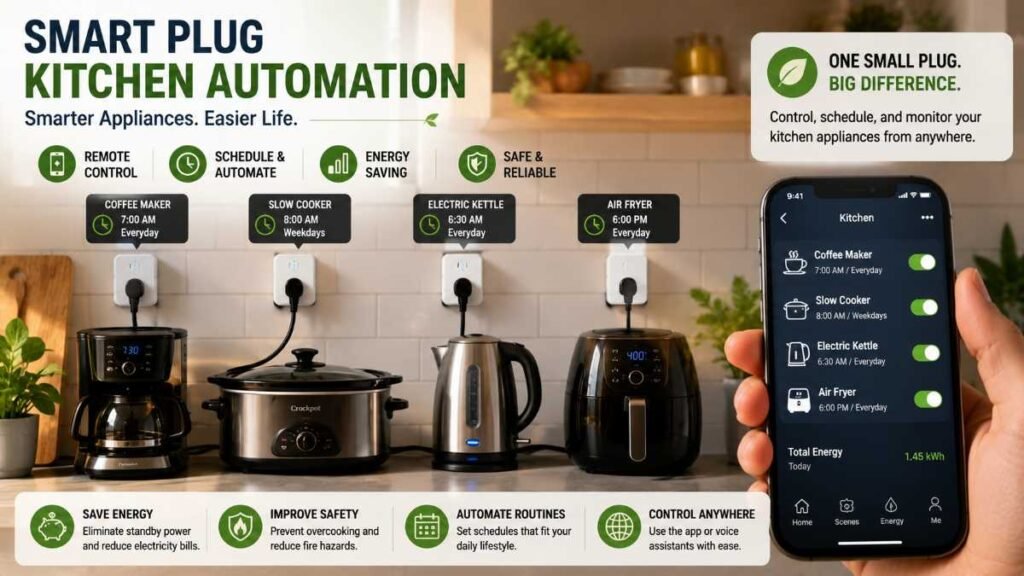
Kitchen counters are crowded with small appliances that lack built-in timers. Slow cookers, coffee machines, and electric kettles are prime candidates. For example, pairing a slow cooker with a smart plug means you can cut power remotely if your commute runs late, preventing your meal from scorching. If you enjoy upgrading your culinary setup, you might also find inspiration in these best air fryers for modern kitchens.
Climate Control Management
Portable space heaters and window air conditioning units consume immense amounts of electricity. Setting up automated schedules ensures your room reaches a comfortable temperature right before you step inside, without running continuously while the room is empty. For a more comprehensive whole-home temperature strategy, look into best smart thermostats.
Holiday Lighting and Seasonal Decor
Stringing up festive lights or Christmas tree decorations often involves hard-to-reach wall outlets behind furniture. Connecting your display strings to a smart receptacle allows you to schedule exact illumination windows so your display turns on at sunset and shuts off automatically at bedtime.
Common Mistakes to Avoid When Buying and Using Smart Plugs
Avoiding beginner pitfalls ensures your smart home setup remains safe, stable, and frustration-free:
- Ignoring Amp and Wattage Ratings: Always check the electrical specifications. Plugging high-draw heavy machinery, large space heaters, or heavy-duty appliances into a standard smart plug guide can overload internal fuses.
- Buying 5 GHz-Only Routers: Most traditional smart plugs operate strictly on 2.4 GHz Wi-Fi bands for longer range and wall penetration. Ensure your home router broadcasts a 2.4 GHz channel during setup.
- Using Indoor Plugs Outdoors: Never use standard indoor smart plugs on exterior patios or gardens exposed to moisture, unless the model is specifically rated for outdoor weather resistance.
- Ignoring Physical Switch Positions: Remember that the connected appliance must have a physical mechanical toggle switch permanently left in the “ON” position for the smart adapter to regulate power.
The Pros and Cons of Smart Plugs
Every technology comes with trade-offs. Balancing the advantages against limitations helps set realistic expectations before expanding your home ecosystem.
The Advantages
- Affordability: They represent the most budget-friendly entry point into home automation compared to full smart switches or smart bulbs.
- No Wiring Required: Completely plug-and-play operation means zero risk of electrical shocks or costly electrician fees.
- Universal Compatibility: Can transform almost any device with a physical toggle or rocker switch into an automated appliance.
The Limitations
- Wi-Fi Bandwidth Congestion: Adding dozens of wireless devices can crowd your home router bandwidth. For tips on stabilizing your wireless coverage, explore smart home installation principles.
- App Dependency: If your internet provider experiences an outage, remote mobile app control will temporarily cease until connectivity returns.
Conclusion and Final Recommendation
Upgrading your living space doesn’t have to be complicated or expensive. A reliable smart plug giedeoffers a frictionless, highly practical pathway toward a more efficient, secure, and automated household. Whether your primary goal is slashing wasted electricity, preventing fire hazards, or simply enjoying the luxury of voice-controlled lighting, these versatile devices deliver immediate returns on a minimal investment.
Start small by upgrading one or two high-use appliances—such as your coffee station or living room lamp—and experience firsthand how minor adjustments create a major impact on your daily lifestyle.
People also search for
Q1. Which is the best smart outlet in the USA?
Top-rated models like Kasa and Wemo lead the US market for their safety, reliable app control, and Alexa support.
Q2. How do I set up a Wi-Fi power socket?
Just connect the adapter to an outlet, open its companion app, sync with 2.4 GHz Wi-Fi, and pair with your voice assistant.
Q3. Do I need a specific app to run a smart switch?
Yes, most connected outlets rely on dedicated mobile apps (like Kasa or Smart Life) for scheduling timers and managing remote access.
Q4. Are smart outlets worth it for everyday home use?
Definitely! Following a smart plug guide helps you automate appliances, prevent fire risks, and cut monthly electricity bills.
Author By: Dambar C. Rajbanshi About: A renovation strategist and home improvement enthusiast. Dambar specializes in budget-smart planning and functional kitchen design. He is dedicated to helping homeowners create spaces that perfectly balance beauty and practicality