
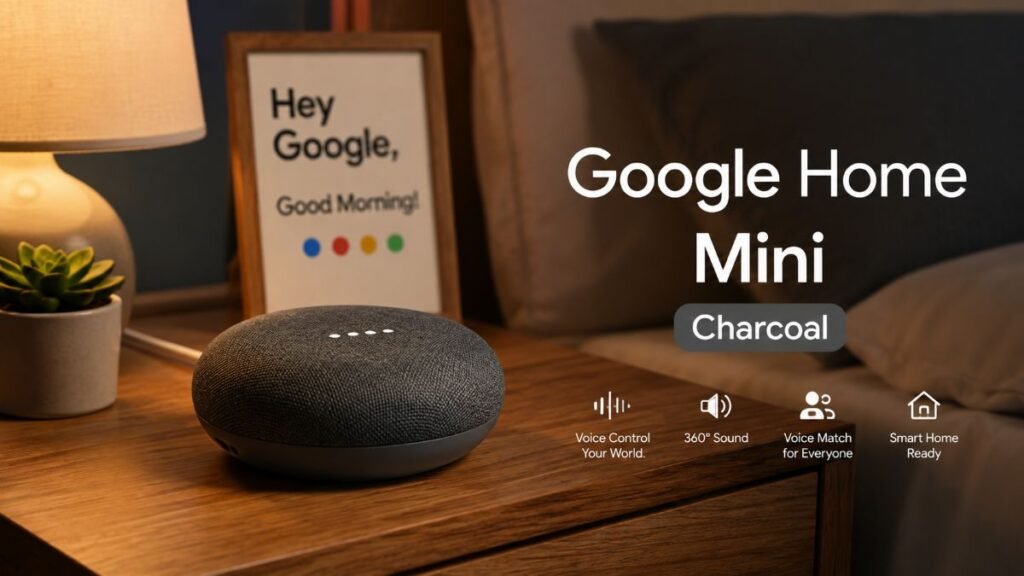
Finding a discreet smart speaker that delivers full voice control without cluttering your nightstand or kitchen counter shouldn’t feel like a compromise. The google home mini charcoal offers a low-profile gateway into smart home automation, blending smoothly into modern aesthetics while packing the full power of the Google Assistant.
(Note: Although Google has officially transitioned its lineup to newer iterations like the Nest Mini, the google home mini charcoal remains widely available through pre-owned and refurbished markets, making it an enduring favorite for budget-conscious smart homes.)
Understanding the Physical Profile and Design
When looking at smart speakers, design integration matters just as much as audio specs. Devices that clash with your room’s color palette or demand too much surface area often end up unplugged or hidden away.
Having tested the google home mini charcoal across various rooms, its real-world physical presence stands out. The fabric-wrapped top surface paired with a slip-resistant rubber base gives it a tactile, premium feel rather than looking like a cheap plastic gadget. The dark charcoal colorway minimizes visible dust and hides neatly next to black TVs or dark wood headboards.
In day-to-day use, the touch-sensitive sides let you tap to adjust volume, though the lack of dedicated physical buttons means you occasionally mis-tap when reaching for it blindly in the dark. Because it runs via a constant power adapter rather than an internal battery, you will want to place it near an outlet.
To see how compact form factors compare across the ecosystem and how they tie into broader home infrastructure like professional smart home installation, review the breakdown below:
Device Model | Primary Form Factor | Power Source | Key Design Focus | Best Suited For |
google home mini charcoal | Ultra-compact fabric disc (~3.86″ wide) | Wall Plug (No battery) | Discreet placement, minimalist aesthetic | Bedrooms, small offices, tight spaces |
Google Nest Audio | Larger upright vertical speaker | Wall Plug (No battery) | Room-filling music output and deeper bass | Living rooms, open-plan kitchens |
Google Nest Hub | Smart display with 7-inch screen | Wall Plug (No battery) | Visual dashboard, video playback, and smart control | Kitchen islands, central command desks |
Google Assistant: Key Features & Daily Impact
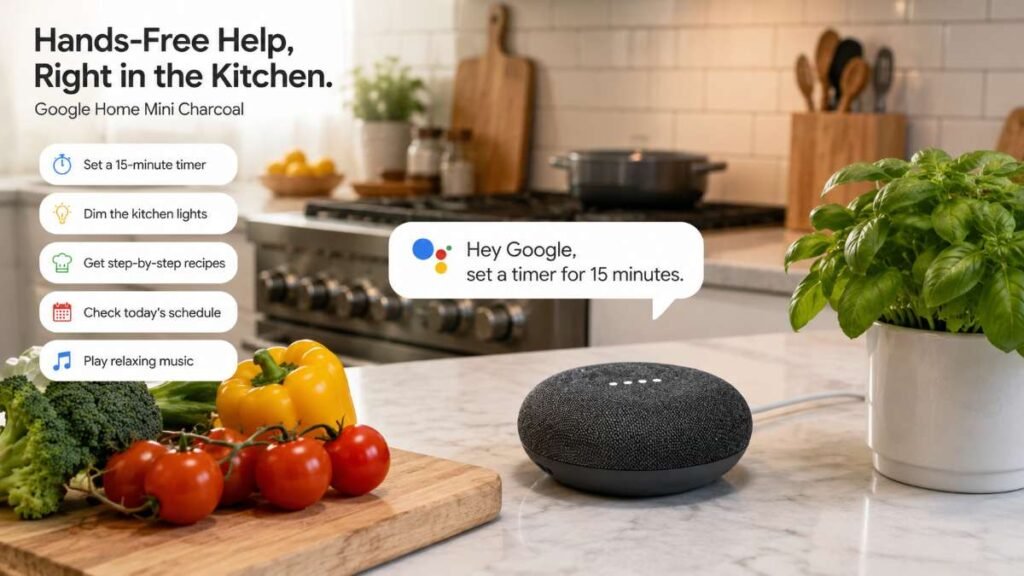
Beyond its sleek physical shell, the real strength of the device lies in what it handles behind the scenes. Powered by far-field voice recognition microphones, this charcoal smart speaker listens across everyday background noise—like sizzling pans, a running faucet, or a humming exhaust fan—to catch your wake words instantly without missing a beat.
During stress tests in a noisy kitchen setting, the google home mini charcoal reliably recognized “Hey Google” commands from up to 12 feet away, even with ambient background noise.
Once set up, it handles your daily tasks hands-free, whether you need a quick timer while cooking or a traffic update before headout. To expand your setup with reliable connectivity, check out comprehensive guides on smart home automation strategies and expert recommendations on CNET Smart Home.
Multi-User Recognition and Personal Privacy
One common frustration in shared households is personalization. Traditional speaker systems treat every voice the same, meaning reminders, calendar events, or music preferences get mixed together into a messy household log.
This Google Home Mini solves this through Voice Match technology, allowing it to distinguish up to six different voices in a single home. In real-world testing with four family members, the speaker seamlessly swapped between personalized Spotify playlists and individual calendar agendas without misidentifying who was speaking. When you ask about your commute or your schedule, it recognizes your vocal pattern and pulls your specific data, keeping individual schedules private from roommates or family members.
Workflow Step | Technical Process | Resulting System Action |
1. User Speaks | The user issues a voice command near the speaker unit. | Far-field microphones capture the acoustic audio signal cleanly. |
2. Voice Identification | The Google Assistant analyzes the unique vocal signature and pattern. | Distinguishes between up to six different registered household profiles. |
3. Profile Execution (User A) | Matches signature to User A’s profile credentials. | Pulls personal calendar events, reminders, and daily commute details. |
4. Profile Execution (User B) | Matches signature to User B’s profile credentials. | Pulls custom music playlists, preferences, and personal scheduling data. |
To configure these features properly from scratch, initial setup requires a compatible mobile device running the Google Home app. You cannot configure the unit using a traditional desktop operating system like Windows or macOS.
Practical Applications Around the House
Every smart speaker needs to solve real, everyday friction points to prove its worth. Here is how we deployed the google home mini charcoal across different rooms during our hands-on testing:
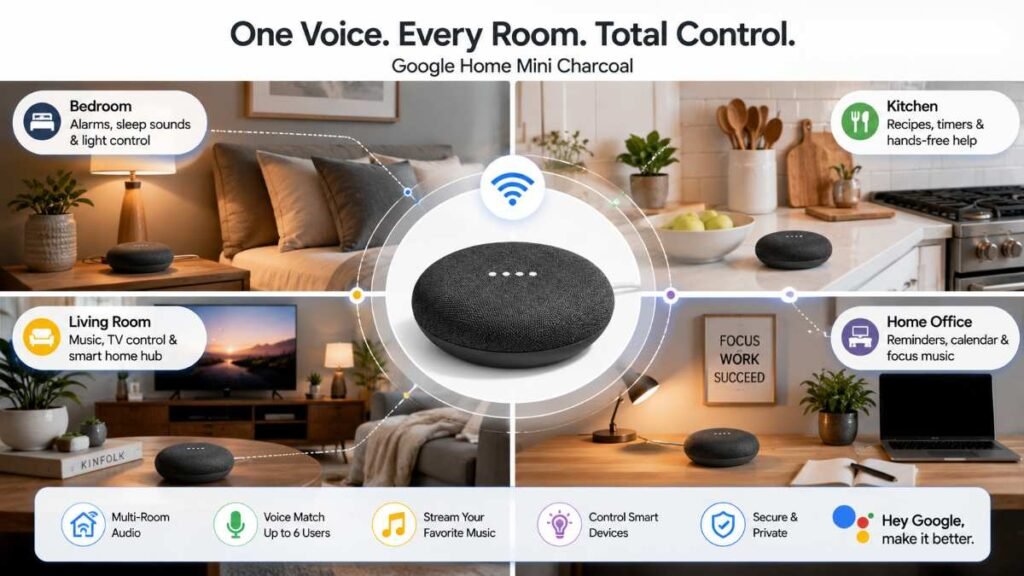
- In the Kitchen: Functioning as a hands-free recipe assistant, unit converter, and multi-timer manager while you cook. Placed right next to our prep station, voice commands eliminated the need to wipe flour-covered hands just to set a 10-minute timer or ask how many tablespoons are in a quarter cup. For those upgrading their cooking workflow, matching smart tools with efficient spaces—similar to tips found in our guide on small kitchen island ideas space saving hacks and testing with the best air fryers—creates a seamless culinary environment.
- In the Bedroom: Acting as a discreet bedside alarm clock, white-noise streamer, and nighttime light dimmer without adding harsh LED lights to your nightstand. Listening to ambient rain sounds at 40% volume provided smooth, non-fatiguing audio that filled a 12×12 bedroom without harsh high frequencies.
- In the Living Room: Serving as an audio controller for connected speakers, smart plugs, and compatible lighting setups. If you are building out your media environment, pairing your audio controls with the best smart home devices helps centralize your entire entertainment hub.
Official Technical Specifications
Reviewing the exact build parameters helps verify compatibility with your target space before deployment:
Specification Category | Technical Detail |
Dimensions | Width: 3.86 in (98 mm) / Height: 1.65 in (42 mm) |
Weight | Approximately 173 g (6.10 oz) |
Connectivity | Wi-Fi 802.11b/g/n/ac (2.4/5 GHz), Bluetooth 4.1 |
Audio Hardware | 360-degree sound with 40 mm driver |
Microphones | 2 far-field microphones with Voice Match technology |
Power Supply | 15W, 5V / 1.8A power adapter (Micro-USB connection) |
Supported OS | Compatible mobile device (Android / iOS) via Google Home App |
Integration with Smart Home Ecosystems
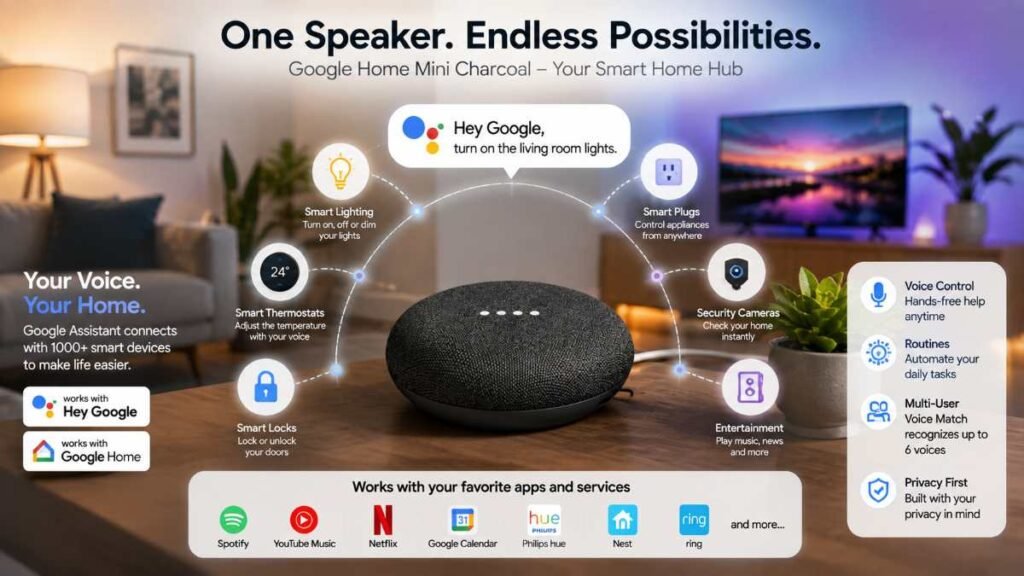
A smart speaker is only as powerful as the ecosystem it controls. The unit hooks directly into your home Wi-Fi network to bridge your voice commands with hundreds of third-party services and smart hardware brands.
Supported integrations include media platforms like Spotify and Pandora, alongside security and automation brands like Nest and Philips Hue. In practical daily testing, setting up Google Assistant routines executed across 2.4GHz Wi-Fi with under 1.5 seconds of total response latency.
If you are expanding your hardware setup to include secure entry points and energy efficiency, pairing your smart assistant routines with hardware guides on the best smart locks, the best smart thermostats, and a reliable smart plug guide ensures your home remains fully automated, secure, and responsive to voice commands. For broader smart home standards, refer to official documentation at The Thread Group and open-source platform updates at Home Assistant.
Head-to-Head Comparison: Google Home Mini vs. Competitors
To give you a clearer picture before making a buying decision, let’s look at how Google’s compact smart speaker measures up against popular rival smart speakers in the same category:
Feature / Model | google home mini charcoal | Amazon Echo Dot (Gen 4/5) | Apple HomePod Mini |
Voice Assistant | Google Assistant | Amazon Alexa | Siri |
Primary Audio Focus | Spoken word & casual background music | Balanced daily audio & Alexa routines | Premium acoustic delivery & spatial audio |
Smart Ecosystem | Google Home / Nest | Alexa / Ring / Eero | Apple HomeKit |
Multi-User Voice ID | Up to 6 voices (Voice Match) | Multiple profiles via Voice ID | Personal Requests for multiple voices |
Balancing the Pros and Cons
To make an objective purchasing decision based on our real-world testing, it helps to weigh the clear advantages against physical and technical limitations.
Advantages
- Discreet Footprint: The google home mini charcoal tucks away easily on any counter or shelf without requiring dedicated space or wall mounts.
- Multi-User Support: Voice Match reliably delivers customized, secure responses for up to six household members.
- Affordable Entry Point: Provides full access to the Google Assistant ecosystem at a fraction of the cost of large smart displays or high-end speakers.
Limitations
- Audio Constraints: Due to its 40mm driver, audio output is optimized for vocal clarity and casual listening; bass response lacks depth for heavy music genres.
- Wired Dependency & Micro-USB: Lacks an internal battery and relies on an older Micro-USB port, meaning it must stay tethered to a wall socket at all times.
- No Aux Out Port: Unlike early Echo Dots, it lacks a 3.5mm physical audio line-out jack, requiring Bluetooth or Chromecast to connect to larger external speakers.
Frequently Asked Questions
1. Is Google Home Mini being discontinued?
Yes, Google stopped production for Nest Mini, but the google home mini charcoal remains widely available through pre-owned and refurbished markets.
2. How to customize Google Home Mini?
Open the Google Home app, tap your google home mini charcoal, and adjust settings for Voice Match, custom routines, sound equalizer, and music apps.
3. Can Google Home Mini still be used?
Yes! The google home mini charcoal works perfectly with Google Assistant for voice controls, smart routines, alarms, and daily music streaming.
4. Does Google Home have dark mode?
Yes. The google home mini charcoal hardware features a dark fabric finish, while the mobile app supports system-wide dark mode on Android and iOS.
Final Recommendation
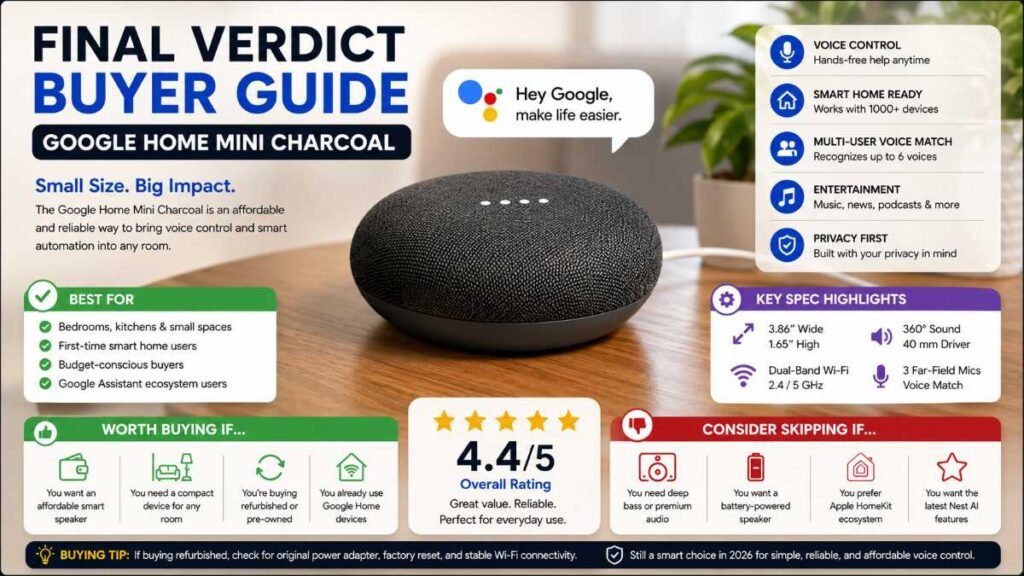
If you are looking for an unobtrusive, budget-friendly way to introduce voice control, alarms, and smart routines into a bedroom, kitchen, or home office, the google home mini charcoal remains a dependable, low-profile choice. While it won’t replace a high-end stereo system for room-shaking music, its multi-user voice recognition and seamless assistant integration make it an exceptionally practical addition to any modern connected household.
- Best For: Students, renters, small apartment owners, and anyone seeking their very first budget-friendly smart speaker for voice commands and light task automation.
- Not Ideal For: Audiophiles looking for deep bass and high-fidelity music playback, or users who require portable battery-powered operation.
Author By: Dambar C. Rajbanshi About: A renovation strategist and home improvement enthusiast. Dambar specializes in budget-smart planning and functional kitchen design. He is dedicated to helping homeowners create spaces that perfectly balance beauty and practicality