
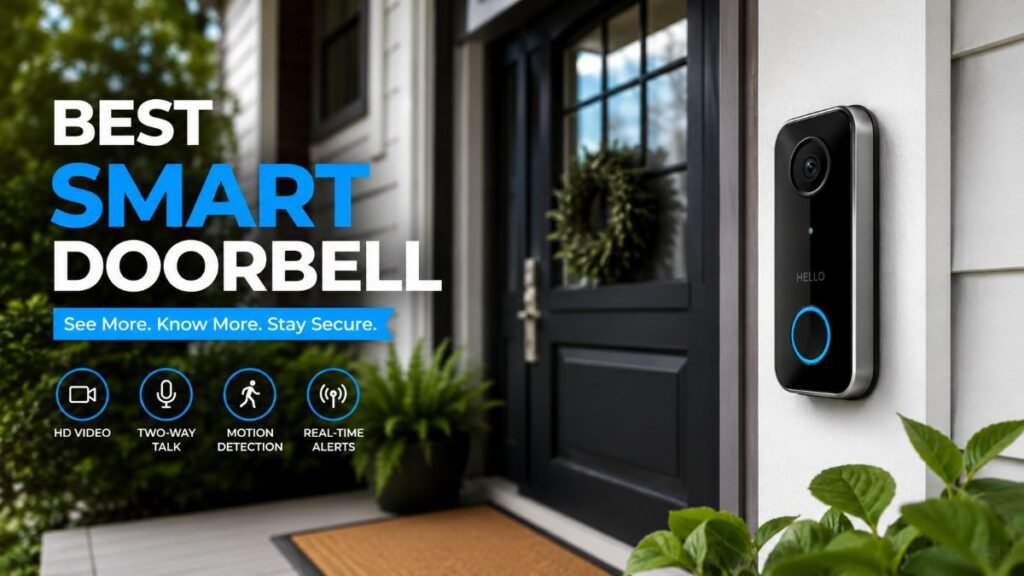
Did you ever hear a faint knock at your front door, only to open it and find an abandoned package sitting on the porch while the delivery driver is already halfway down the street?
Upgrading to the right best smart doorbell can transform your main entryway into a secure, monitored checkpoint. Whether you are building out a complete smart home installation, replacing an outdated mechanical ringer, or looking for robust package protection, choosing the right hardware safeguards your household against modern security blind spots.
Why Your Traditional Doorbell Needs an Upgrade
Traditional doorbells provide a simple audio alert but offer zero built-in video, remote access, or motion logging—which is why upgrading to the best smart doorbell is essential for complete front door security.
Modern automation solves this by streaming live high-definition video directly to your phone and enabling two-way communication from anywhere. To ensure your digital ecosystem stays reliable and fully protected against electrical disruptions, pairing your tech upgrades with a whole house surge protector is a smart precaution for safeguarding all household electronics.

Key Benefits of Smart Entry Systems
Transitioning to a modern connected entry system solves daily household friction points with tangible benefits:
- Remote Visitor Management: Speak directly with delivery drivers or guests from your smartphone, even when you are miles away.
- Porch Protection & Theft Deterrence: Crisp motion alerts and live video feeds help you keep a close eye on deliveries while discouraging potential thieves.
- Package Drop Monitoring: Receive instant visual confirmation the moment a delivery partner leaves boxes within your designated threshold.
- Custom Motion Zones: Filter out street traffic and focus exclusively on your property walkway to minimize false push notifications.
Additionally, integrating your entryway with broader home safety networks ensures your entire property remains monitored against environmental threats. Reviewing guidelines on which smart smoke detector is best helps keep your family comprehensively protected across every zone of the house.
Before You Buy a Smart Doorbell
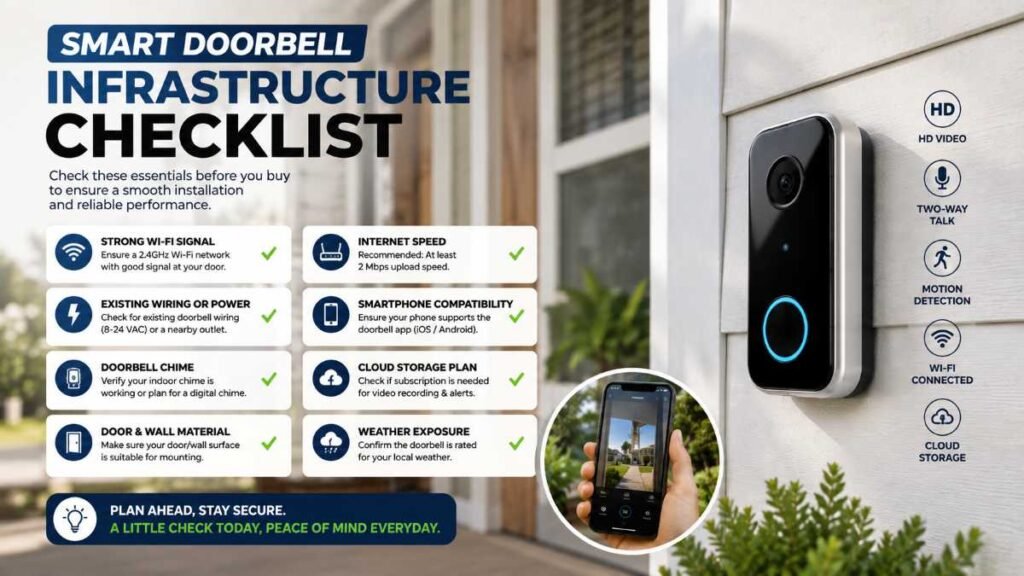
Before purchasing a video doorbell, taking a moment to evaluate your home infrastructure and daily needs will save you from compatibility hurdles down the road:
- Do I have existing low-voltage doorbell wiring, or will I need a battery-powered unit?
- Do I want battery convenience, or do I prefer continuous hardwired power?
- Am I willing to pay a monthly subscription fee for cloud storage and advanced object detection?
- Do I prefer local storage to avoid ongoing fees?
- Which ecosystem do I already rely on—Amazon Alexa, Google Home, or another smart platform?
- Does my home Wi-Fi signal reach the front porch reliably?
- What field of view do I need to capture packages left directly on the ground?
- What are the manufacturer’s temperature and weather ratings for my regional climate?
- Will my camera’s field of view inadvertently capture neighboring properties or public sidewalks?
- What happens to live alerts or recording backups if my internet connection temporarily drops?
Quick “Best Smart Doorbell” Comparison
Choosing the right ecosystem for your best smart doorbell depends on your home’s existing wiring infrastructure, subscription preferences, and specific security goals.
Model | Best For | Power Source | Subscription | Video Quality | Storage Option |
Ring Video Doorbell Pro 2 | Overall Ecosystem & Features | Hardwired (Low-Voltage) | Optional (Required for cloud history) | 1536p HD Head-to-Toe | Cloud Storage |
Google Nest Doorbell (Wired) | Google Home Integration | Hardwired (Low-Voltage) | Optional (Google Home / Nest Aware) | 960p Vertical HD | Rolling Event Window / Cloud |
Arlo Essential Video Doorbell | Flexible Power & Wide Angle | Battery or Wired | Required for advanced features | 1080p to 2K HDR | Cloud Storage |
eufy Security Video Doorbell | No-Subscription Local Storage | Battery or Wired | None (Local HomeBase) | 2K HD | Local Storage (No monthly fee) |
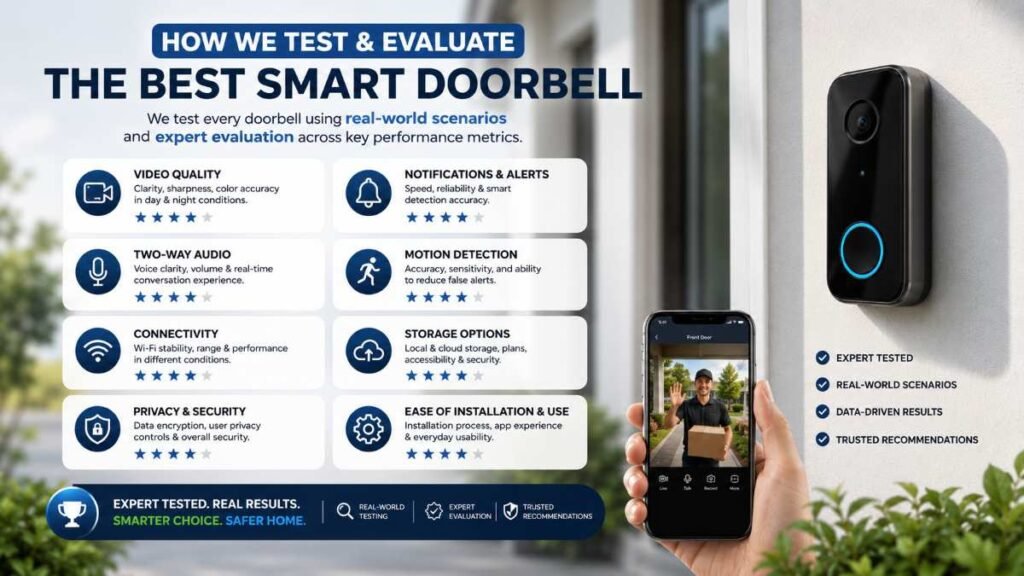
How We Evaluate the best smart doorbell
When analyzing devices for U.S. homes, the evaluation criteria focus on core performance metrics:
- Lens Resolution & Vertical Scope: Inspecting optical quality and top-to-bottom framing to make certain you never miss boxes resting directly beneath your threshold.
- Motion & Package Detection: Reliable person, vehicle, and package alerts powered by intelligent algorithms.
- Subscription Requirements: Factoring in long-term ownership costs, including mandatory vs. optional cloud storage fees.
- Power Source & Setup Options: Looking closely at whether a permanent wired connection or a rechargeable battery system matches your doorway layout.
Top Recommendations by Use Case
To help you make an immediate purchase decision, here are the top picks categorized by specific household needs:
- Best Overall: Ring Video Doorbell Pro 2 — A strong choice for households already invested in the Ring ecosystem, featuring advanced motion detection and a head-to-toe viewing design.
- Best for Google Home Users: Google Nest Doorbell (Wired) — Seamlessly streams video directly to Google Nest Hubs and provides reliable event history windows.
- Best No-Subscription Pick: eufy Security Video Doorbell — Delivers sharp 2K video paired with local base station storage, helping you avoid ongoing monthly service fees.
- Best for Flexible Installation: Arlo Essential Battery Doorbell — Offers versatile surface mounting and flexible power choices for entryways where hardwiring is difficult.
Full Feature Comparison: Hardwired vs. Battery Models
Feature / Metric | Hardwired Smart Doorbell (e.g., Google Nest / Ring Pro) | Battery-Powered Smart Doorbell (e.g., Arlo / Ring Battery) |
Power Source | Low-voltage doorbell transformer or direct wire setup | Rechargeable internal lithium-ion battery pack |
Installation Time | Varies by home setup, relying on existing circuit wiring | Varies by mounting surface and bracket configuration |
Video Recording Style | Event-driven or continuous recording capability depending on specific model architecture | Event-driven motion clips optimized to conserve battery life |
Maintenance Effort | Zero ongoing battery removal or manual recharging required | Periodic recharging, with battery life varying significantly by model, usage, weather, and settings |
Weather & Thermal Resilience | Built to withstand harsh outdoor conditions year-round, though checking specific manufacturer operating thresholds is always recommended | Freezing winter temperatures in many parts of the U.S. can drain and deplete battery capacity at a much faster rate |
Understanding U.S. Regulatory Compliance and Privacy Standards
Following applicable safety, privacy, and communications requirements can help homeowners install and operate connected monitoring equipment responsibly.
- FCC Radio-Frequency Compliance: Under regulations enforced by the Federal Communications Commission (tracked via the FCC Consumer Guidance portal), wireless communication hardware must be properly tested, authorized, and labeled with an FCC identifier to prevent harmful radio-frequency interference with local communication networks.
- Privacy Laws and Camera Placement: Homeowners must carefully angle their camera fields of view to prioritize their own property threshold. Privacy regulations regarding audio recording, neighboring properties, public sidewalks, and cloud storage vary significantly by state and local jurisdiction, making thoughtful physical positioning essential.
How Smart Doorbell Tech Integrates with Automation
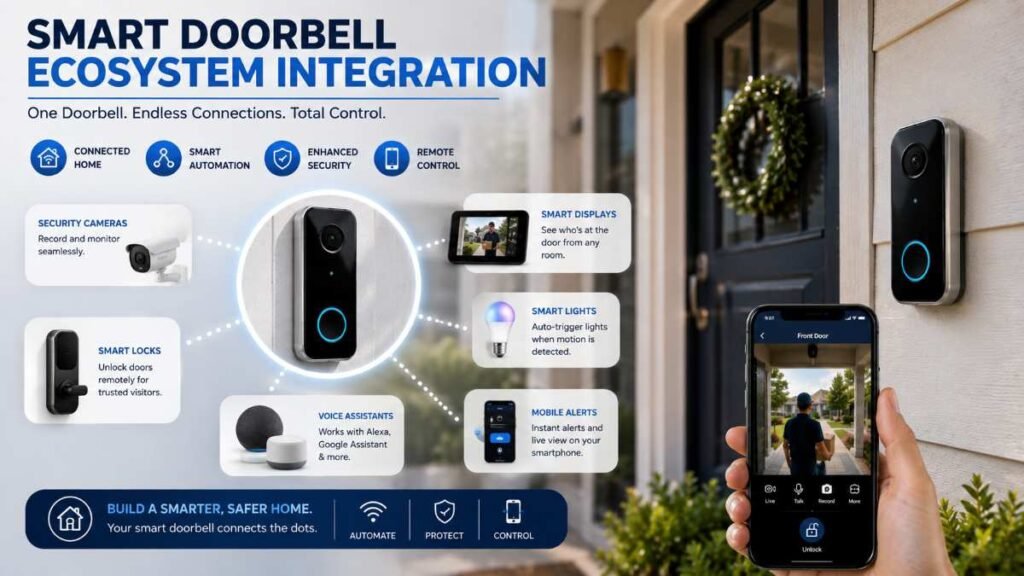
A good smart doorbell can do more than show you who is outside. When it works with your existing smart-home platform, a single motion event can turn on porch lights, send an alert to your phone, or announce a visitor through a smart speaker. To explore how to tie these smart security devices into a cohesive, responsive network, consult expert resources on smart home automation
Advanced Cybersecurity and Device Encryption
When connecting cameras to your local network, safeguarding digital entry points is just as vital as physical installation. Modern connected doorbells rely on encrypted video transmission protocols and secure cloud authentication to block unauthorized access.
To maintain high network safety, always pair your best smart doorbell with robust home Wi-Fi security (such as WPA3 or WPA2-AES encryption), enable two-factor authentication on your mobile companion apps, and apply manufacturer firmware updates promptly to protect against emerging digital vulnerabilities.
Step-by-Step Guide to Installing Your Doorbell Camera
Whether you select a wired or battery-operated system, follow these technical steps for a clean setup:
- Step 1: Follow Safe Power Disconnection. For a hardwired installation, follow the manufacturer’s power-disconnection instructions. If you need to access the home’s electrical panel or transformer wiring and are unsure which circuit controls it, consult a qualified electrician.
- Step 2: Mount the Backplate and Angle Bracket. Use a level to position the mounting bracket next to your door frame. If your entryway layout is angled toward a busy street, attach the wedge adapter to direct the camera toward your welcome mat.
- Step 3: Connect Wires or Secure the Device. For wired units, attach the existing low-voltage wires to the rear terminal screws to ensure a continuous power supply. For battery units, lock the device securely into its anti-theft mount.
- Step 4: Sync Wi-Fi and Configure Motion Zones. Restore power, open the manufacturer’s mobile application, connect to your home Wi-Fi network, and draw precise motion-detection boundaries.
Troubleshooting Common Connectivity and Power Issues
Even high-end devices can occasionally experience offline states or mechanical friction. Knowing how to diagnose typical setup hurdles saves hours of frustration:
- Wi-Fi Dropouts: If your video feed lags or disconnects, your router may be too far from the front door. Consider installing a wireless mesh node or Wi-Fi extender near the entryway.
- Transformer Voltage Gaps: Many hardwired doorbells operate on low-voltage AC power, but the required voltage and transformer specifications vary by model. Always check the manufacturer’s requirements.
- False Motion Alerts: Heavy vehicle traffic or swaying tree branches can trigger constant push notifications. Adjust your app’s motion sensitivity sliders and restrict activity zones strictly to your walkway.
13. Pros and Cons of Smart Doorbell Systems
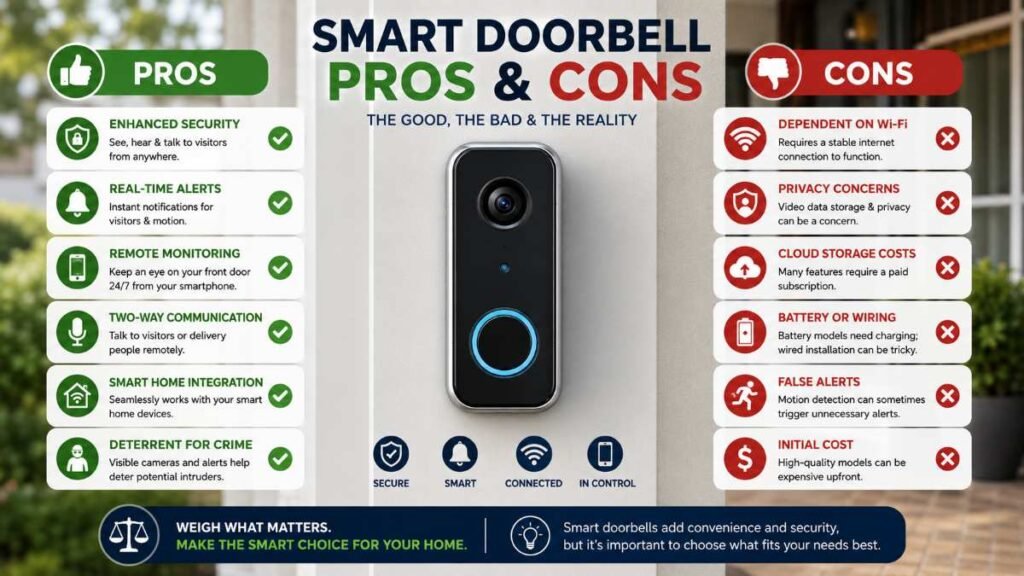
Pros
- Complete Visual Control: Know who is at your door before opening it, drastically improving home safety.
- Flexible Video Archive Choices: Stream or review past activity logs anytime from anywhere to easily keep tabs on missed visitors or unexpected porch occurrences.
- Ecosystem Versatility: Easily pair your feed with voice assistants like Amazon Alexa or Google Home for hands-free alerts.
Cons
- Subscription Paywalls: Advanced features like cloud video history and person/package recognition often require a monthly or annual subscription fee.
- Wi-Fi Dependence: If your internet connection drops or router power fails, live streaming and notifications become temporarily unavailable.
- Viewing Angle Limitations: Standard single-lens doorbells may leave package blind spots directly beneath the threshold unless equipped with head-to-toe aspect ratios.
Expert Final Recommendation
Investing in the right best smart doorbell can be one of the most useful security upgrades for your home. If your home has compatible low-voltage doorbell wiring, a hardwired model can provide continuous power without the routine battery recharging required by battery-operated units. If you live in a rental property or lack wiring infrastructure, a high-end battery-powered camera with local storage offers effortless installation and reliable front-porch protection.
Frequently Asked Questions
Q1. What is the best smart doorbell on the market right now?
The Ring Video Doorbell Pro 2 leads in feature-rich head-to-toe coverage. For zero monthly fees, eufy 2K is the best smart doorbell with reliable local storage.
Q2. Why are people getting rid of Ring doorbells?
Mainly due to required monthly subscriptions and privacy concerns over cloud data sharing. Homeowners are switching to local-storage models like eufy to keep footage private and cut recurring fees.
Q3. What are the best doorbell brands for home security?
Top trusted brands include Ring, Google Nest, eufy, and Arlo. All deliver sharp night vision, smart motion alerts, and simple mobile controls for wired or battery setups.
Q4. Which is the most reliable doorbell camera overall?
Google Nest Doorbell (Wired) offers unmatched hardware stability. However, if you want a reliable best smart doorbell with zero Wi-Fi dropouts or subscription costs, eufy’s local hub setup is top-tier.
Author By: Dambar C. Rajbanshi About: A renovation strategist and home improvement enthusiast. Dambar specializes in budget-smart planning and functional kitchen design. He is dedicated to helping homeowners create spaces that perfectly balance beauty and practicality