
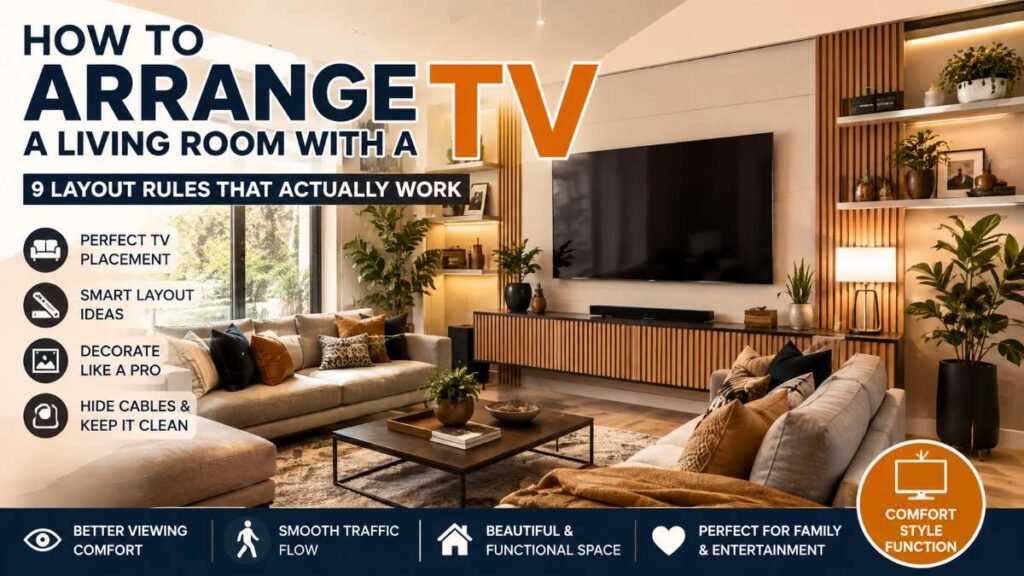
Arranging a living room around a central television display often feels simple until you actually start moving furniture. A screen placed too high leads to neck strain, window reflections create terrible glare, and awkward seating paths ruin traffic flow. Balancing functional sightlines with an attractive interior design requires a strategic spatial plan.
Whether you are updating a cozy layout or organizing an open-concept family room, learning how to arrange a living room with a TV ensures your space remains both comfortable for watching entertainment and visually balanced for daily living.
Where is the Best Place to Put a TV in a Living Room?
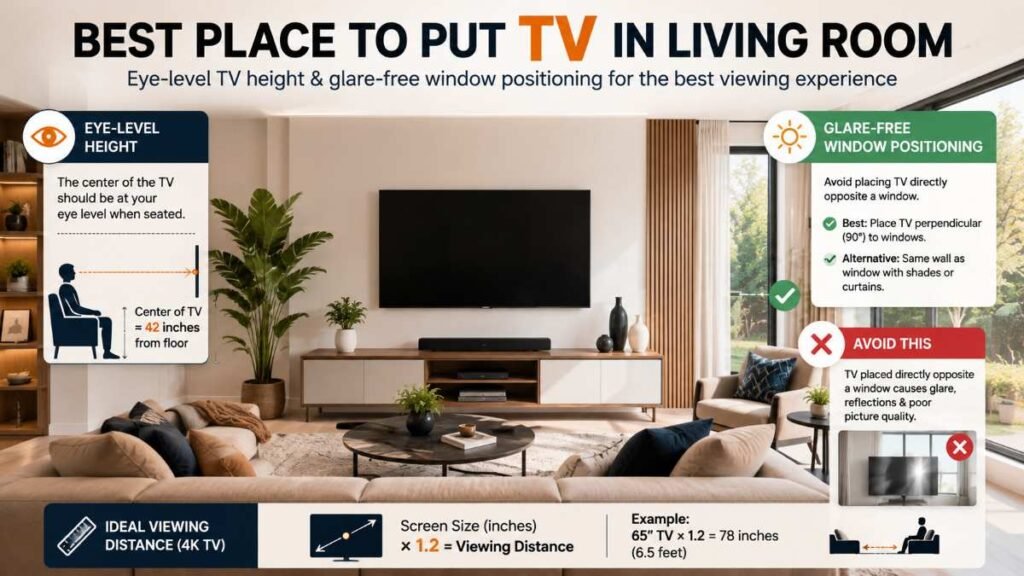
Finding the ideal spot for your TV involves balancing optical comfort, lighting conditions, and structural boundaries.
Eye-Level Height Positioning
The center of your television screen should align directly with your eye level when seated on your primary couch or chair. For the average sofa setup, this means mounting the TV so its center sits approximately 42 inches from the floor.
Mounting a display high above a fireplace mantle forces your neck into an upward tilt, creating muscle fatigue over time. If you must mount above a fireplace, use a full-motion or pull-down wall mount to lower the screen during viewing sessions.
Glare Management & Window Orientation
Never place a TV directly opposite a sunlit window. Natural sunlight creates distracting reflections that wash out color contrast and strain your eyes.
- Best Placement: Mount the TV perpendicular (at a 90-degree angle) to windows.
- Alternative Option: Place the display on the same wall as the window, provided light filtering shades or blackout curtains are installed.
If you are planning visual upgrades for adjacent areas while working on window treatments or wall setups, using proper interior painting techniques can improve how light reflects throughout your entire main floor.
Calculating Viewing Distance
Your couch distance depends entirely on display size and screen resolution. For modern 4K Smart TVs, calculate optimal viewing distance using a simple formula:
For example, a 65-inch 4K TV performs best when your main seating sits approximately 78 inches (6.5 feet) away.
Key Rules for a Good Living Room Layout
A well-designed living room balances visual aesthetics with physical comfort. Following these fundamental space-planning rules prevents cluttered walking paths and awkward seating angles.
Establish a Single Focal Point
In many homes, the TV and the fireplace compete for attention. Rather than forcing them onto opposite walls—which splits seating focus—group them on the same wall plane or align your furniture to acknowledge both.
When connecting multiple entertainment zones or incorporating automated equipment near your media center, ensuring a clean setup alongside your wider smart home automation system keeps wiring organized behind walls or cabinetry.
Protect Walking & Traffic Clearance
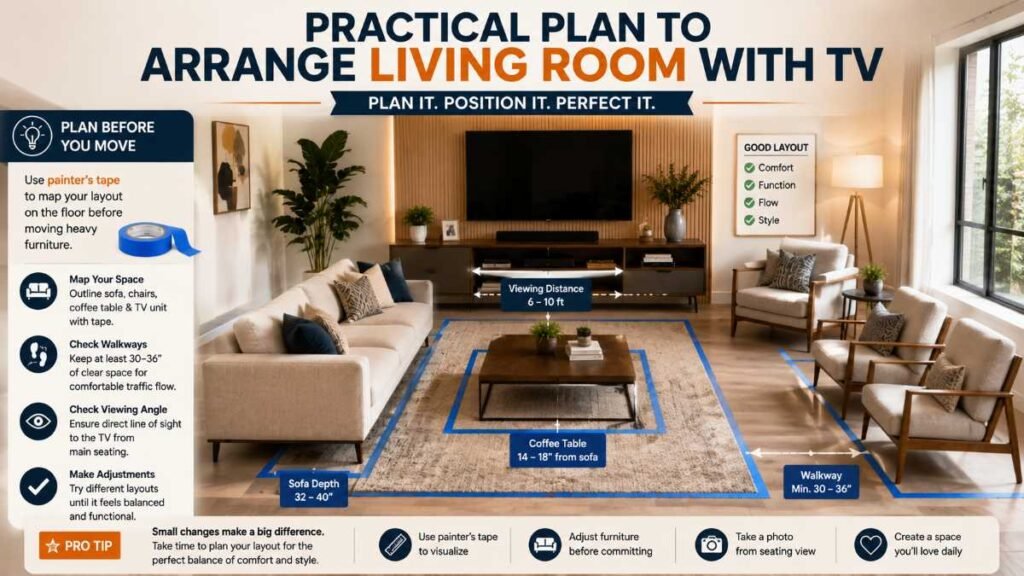
Keep major walkways clear across the room. Maintain at least 30 to 36 inches of open floor space between major furniture pieces like couches, coffee tables, and accent chairs. Ensure the distance between the coffee table and the sofa front edge sits right around 14 to 18 inches—close enough to reach drinks, but far enough to comfortably stretch your legs.
Define Zones with Area Rugs
An area rug anchors your seating group and defines the entertainment zone within your room:
- Rule of Thumb: All front legs of your sofa and accent chairs should sit on top of the rug.
- Sizing Tip: Avoid undersized “floating” rugs, which make small rooms look even smaller. An 8×10 foot or 9×12 foot rug works best for most standard American living rooms.
If you are considering broader floor upgrades during a home renovation, reviewing durable material options like luxury vinyl flooring can help create an easy-to-clean base beneath heavy furniture.
Room Layout Comparison Guide
Different room shapes require unique furniture configurations to maximize viewing angles and traffic flow.
Layout Arrangement | Recommended Space Type | Core Spatial Design Rule | Clearance & Traffic Effect |
L-Sectional Configuration | Tight corners and multi-functional open floor plans | Orient the longer seating arm at a 90-degree angle to the television display | Maximizes central floor area while preserving unblocked entry points |
Dual Facing Couches | Multi-purpose social areas and symmetrical rooms | Set both sofas parallel with the TV console positioned at the short end wall | Creates an open middle pathway for smooth room navigation |
Enclosed U-Shaped Seating | Spacious family rooms and dedicated media spaces | Align the primary couch straight toward the screen with side chairs facing inward | Guarantees direct sightlines for all seats; requires extra square footage |
Pulled-Away Floating Setup | Elongated, narrow, or rectangle-shaped living areas | Shift seating 2 to 3 feet off the perimeter walls toward the media display | Eliminates awkward hallway-style visual gaps behind seating |
How to Decorate Around Your TV Using the 3-5-7 Rule
A plain TV mounted on a blank wall can feel cold and industrial. Interior designers frequently use the 3-5-7 Rule (the odd-number design principle) to integrate technology seamlessly into home decor when learning how to arrange a living room with a TV.
Understanding the 3-5-7 Rule
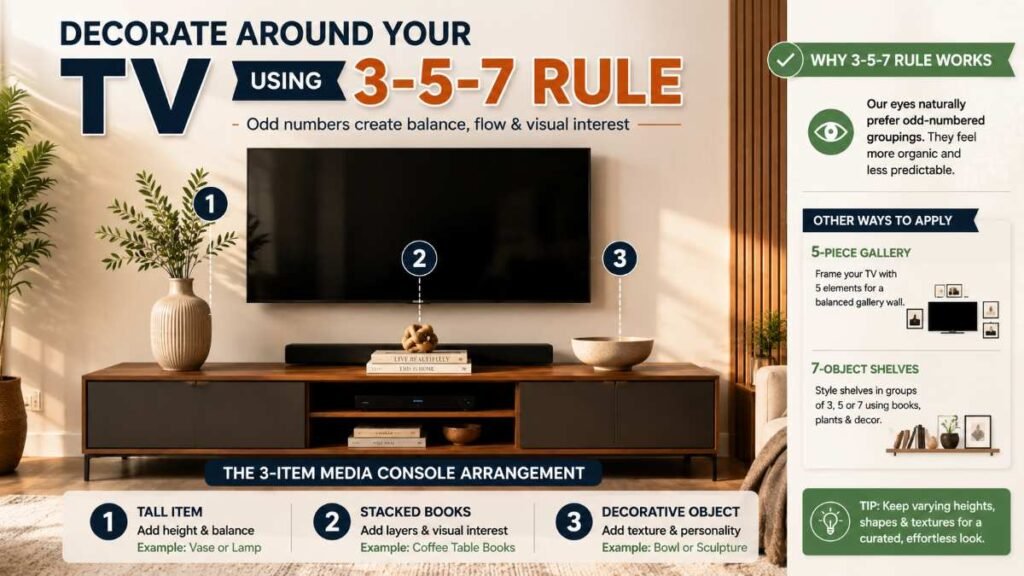
Human visual processing naturally finds odd-numbered groupings more engaging and organic than symmetrical, even pairings. Even numbers create formal visual balance, whereas odd groupings (3, 5, or 7 items) encourage your eye to move around the display area.
Applying the Rule Around Your Media Display
The 3-Item Media Stand Arrangement
If you have a TV mounted above a credenza or console, place three asymmetrical items on top of the cabinet to balance the screen’s dark rectangle:
- A tall ceramic vase or table lamp on the left.
- A stack of two horizontal coffee table books in the center.
- A small textured bowl or decorative object on the right.
The 5-Piece Asymmetrical Gallery Wall
Build a gallery frame collection around your wall-mounted TV using five distinct elements:
- Item 1: The TV itself serves as the central base anchor.
- Items 2 & 3: A vertically stacked pair of framed art prints placed to the left.
- Items 4 & 5: A single oversized canvas paired with an accent wall sconce on the right.
.Varying frame heights and mat board dimensions keeps the gallery from looking rigid.
The 7-Object Built-In Shelf Styling
If your television is framed by built-in shelving units, organize each shelf section using clusters of 3 or 5 objects—mixing books, greenery, and sculptural pieces.
To expand your overall interior organization strategy, applying systematic approaches similar to those used in small closet organization ideas can help clear media cabinet clutter, gaming consoles, and exposed wiring.
Smart Cable Management & Equipment Integration
Visual layout is only half the battle; managing power cables and smart devices is essential for a polished look.
- In-Wall Power Kits: Install a code-compliant, recessed in-wall power cable management kit behind your television to hide hanging wires without cutting into major studs.
- Smart Power Management: Connect media equipment to dedicated energy-monitoring hardware. Following a clear smart plug guide allows you to schedule automatic power cuts for media consoles and soundbars during nighttime hours, reducing standby power draw.
- IR-Friendly Cabinetry: Store media receivers inside closed cabinets featuring slatted wood doors or IR-transmissive glass to maintain remote control functionality while hiding equipment.
For additional advice on integrating home automation hubs safely across your home, consult established safety standards from organizations like the National Fire Protection Association (NFPA) for guidance on electrical wiring safety, or check guidelines from the U.S. Department of Energy on reducing phantom power draw from home electronics.
Frequently Asked Questions
Q1: Where to position a TV in a living room? Mount your TV perpendicular to windows to avoid glare, with the screen center set at eye level (about 42 inches high). Keep it clear of high-traffic walking paths when learning how to arrange a living room with a TV.
Q2: What is the 2/3 rule for living rooms? It is a sizing rule for visual balance: your media console should span two-thirds of your TV wall, and your coffee table should equal two-thirds of your sofa’s length.
Q3: What is the 3-5-7 rule in decorating? This rule uses odd groupings (3, 5, or 7 items) like vases, books, or gallery frames to naturally balance the TV’s dark rectangle while figuring out how to arrange a living room with a TV.
Q4: How to select TV for living room spaces? Pick your screen size using seating distance: multiply the diagonal TV size by 1.2 (e.g., a 65-inch 4K TV needs a 6.5-foot gap). Sizing your screen to room depth is essential when planning how to arrange a living room with a TV.
Practical Recommendation
To successfully execute how to arrange a living room with a TV, begin by mapping your room layout on paper or using painter’s tape on the floor before moving heavy furniture. Prioritize eye-level viewing angles and clear walkways first, then integrate smart wire concealment. Finally, apply the 3-5-7 rule with framed art and decor items to turn your TV wall into an attractive, functional center for your home.
Author By: Dambar C. Rajbanshi About: A renovation strategist and home improvement enthusiast. Dambar specializes in budget-smart planning and functional kitchen design. He is dedicated to helping homeowners create spaces that perfectly balance beauty and practicality