
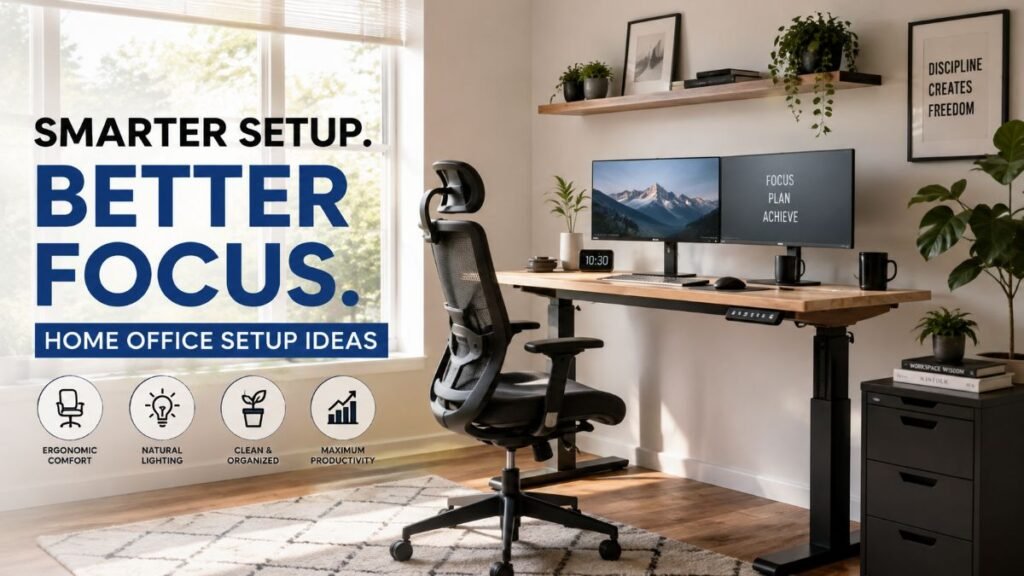
Ever found yourself hunched over a dining table by mid-afternoon, nursing a stiff neck and wondering where your focus went? You’re not alone. While heavy workloads play a major role, daily work-from-home fatigue is frequently amplified by an uncomfortable, poorly arranged workspace. Building an environment that drives concentration doesn’t require a dedicated executive suite or thousands in designer furniture. In this guide, we reveal practical home office setup ideas that transform any room or corner into a seamless, high-output productivity hub.
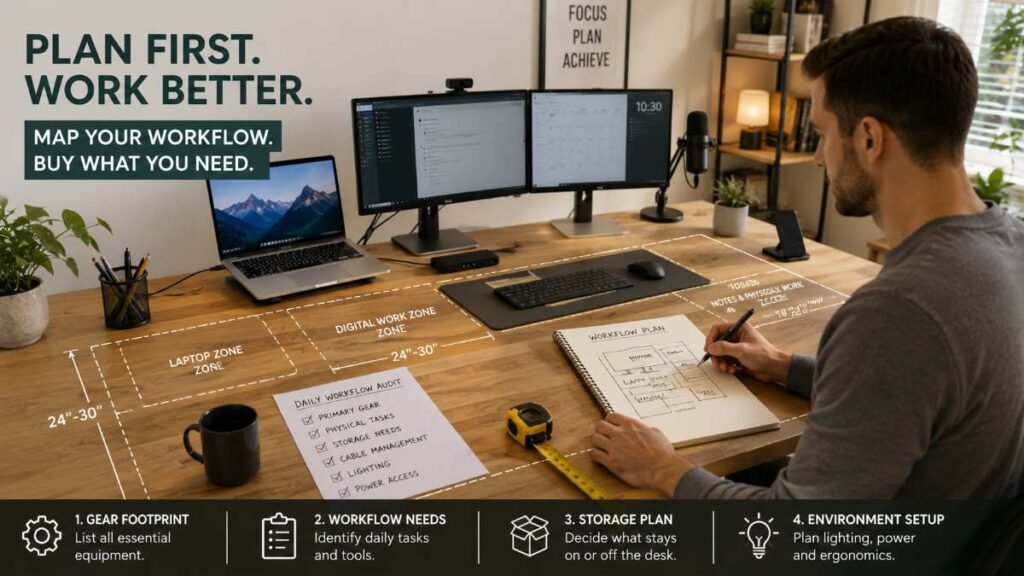
Audit Your Daily Workflow Before Buying Anything
The single biggest mistake homeowners make is buying a stylish desk before auditing their daily equipment needs. A sleek, minimal writing desk looks stunning in photos, but it quickly collapses into chaos once you add dual monitors, a docking station, a studio microphone, and notepad space.
Ask yourself these three core questions before spending a dime:
- What is your primary gear footprint? A single laptop requires minimal space, whereas a multi-screen setup with external webcams demands a noticeably wider desk surface to avoid crowding.
- What physical tasks do you perform? If you review paper blueprints, sign physical documents, or sketch concepts, factor in a dual-zone desk layout (digital on one side, physical drafting on the other).
- What equipment must stay out of sight? If hard drives, paper files, or prototype gear sit directly on your desk surface, visual clutter will continuously split your attention.
Mapping out your physical requirements first prevents you from forcing complex workflows into impractical spaces.
Master Ergonomics: Desk, Seating, and Screen Placement
When physical fatigue sets in, mental output drops rapidly. Designing a workspace grounded in key ergonomic principles supports healthy posture and helps sustain high energy levels through long work hours.
Choosing Your Seat and Desk Base
Your chair remains the foundation of your entire setup. Avoid rigid dining room chairs or over-cushioned seats that lack structured lower-back support. Instead, opt for an adjustable task chair built with breathable mesh, customizable armrests, and responsive lumbar cushioning.
Pairing a supportive chair with an adjustable standing desk makes it easy to alternate between sitting and standing throughout your shift. Shifting positions periodically relieves lower-back pressure and promotes consistent blood flow.
Ergonomic Alignment Quick Reference
Focal Area | Desktop & Chair Setup | Healthy Posture Standard |
Visual Line of Sight | Align the upper bezel of your display directly with your horizontal gaze | Maintain a 20–30 inch buffer from the panel to keep your spine straight |
Arm & Shoulder Placement | Rest your lower arms flat along the desk surface while keeping shoulders relaxed | Aim for a natural 90° to 105° bend at the elbow joint during typing |
Lower Back & Feet Support | Set your chair elevation so your lower legs hang stress-free without hamstring pressure | Keep knees bent at 90° with both feet planted firmly on the floor or a sturdy footrest |
Screen Elevation and Sightlines
Set your primary display directly in front of you at roughly arm’s length. Mounting your screen on a fully adjustable monitor arm gives you effortless control over monitor height, tilt, and distance compared to rigid factory stands.
If you’re upgrading your broader home ecosystem alongside your office space, blending ergonomic layout planning with reliable smart home automation lets you sync task lighting and climate controls directly with your working schedule.
Layer Your Lighting: Natural, Task, and Ambient
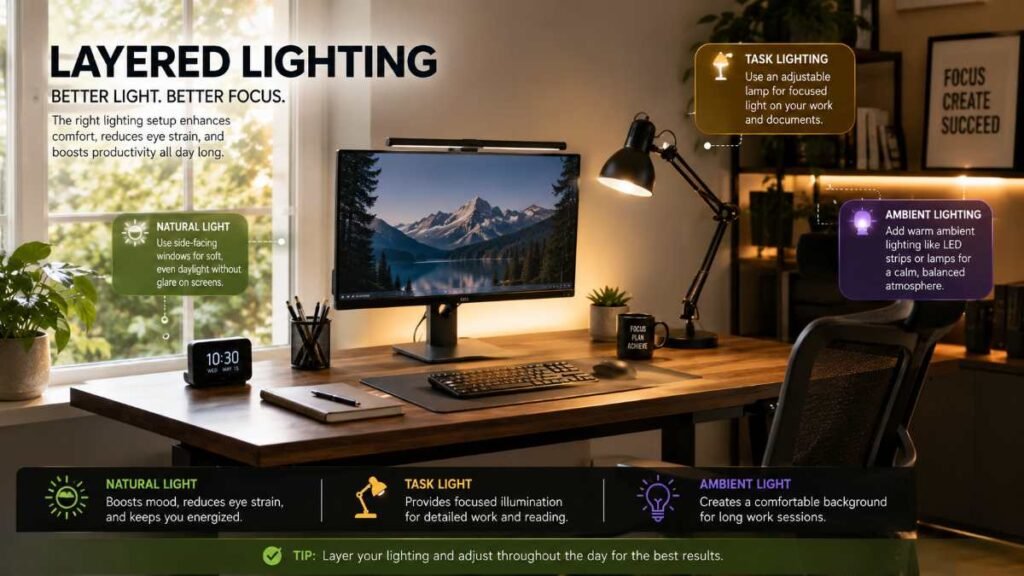
Subpar lighting triggers eye strain, tension headaches, and early afternoon sluggishness. A well-designed workspace balances dynamic natural daylight, focused task illumination, and gentle ambient background fill.
Illumination Type | Strategic Position | Core Functional Advantage |
Daylight Integration | Angle desk surface sideways relative to main windows | Captures natural sunlight while completely preventing harsh display reflections |
Focused Task Light | Position an adjustable arm lamp on the non-dominant hand side | Delivers targeted desk illumination without throwing shadows across your writing area |
Soft Background Fill | Mount subtle LED bias strips behind the monitor or use indirect overhead ceiling lighting | Eliminates extreme contrast between dark walls and bright screens to protect eye comfort |
Direct Recommendation: Avoid positioning your workstation facing an unshaded window (which strains your eyes due to excessive front brightness) or placing your back directly against one (which washes out webcams and creates intense screen reflections).
To automate lighting routines while cutting unnecessary standby power draw, following practical tips from our smart plug guide makes it simple to power off desk lamps, audio gear, and extra monitors as soon as your workday wraps up.
Space-Saving Layouts for Compact and Shared Rooms
Lacking a dedicated spare room shouldn’t hold you back. Carving out functional home office setup ideas within multi-use living areas simply requires clear visual boundaries and smart vertical storage.
Dedicated Zone Allocation Matrix
Room Type | Primary Strategy | Key Furniture / Accessory Focus |
Bedroom Office | Quiet environment; requires psychological separation | Floating desk in an unused nook paired with a folding room screen |
Living Room Nook | High-traffic area; requires visual integration | Wall-mounted vertical shelves, slim console desk, hidden cable trays |
Shared Multi-Use | Dual-purpose space; requires flexible storage | Mobile caddies, roll-away task chairs, and drop-leaf wall desks |
The Bedroom Workspace
Bedrooms can offer a quieter environment for focused work, making them great candidates for high-concentration tasks. Keep the desk profile slim using a floating wall-mounted desk. When 5 PM arrives, fold down the desk or pull a light room divider across the space to build a clear mental boundary between work and rest.
The Living Room Nook
When integrating a desk into a main living area, choose finishes that match your existing cabinetry and furniture. Use vertical wall space above your desk for floating bookshelves rather than letting storage expand outward across the floor.
If your office build coincides with broader home updates, applying proven techniques from our guide on interior painting will help you select calm, focus-enhancing shades like muted sage, warm stone, or off-white.
Smart Storage & Cable Management: Clearing Visual Clutter
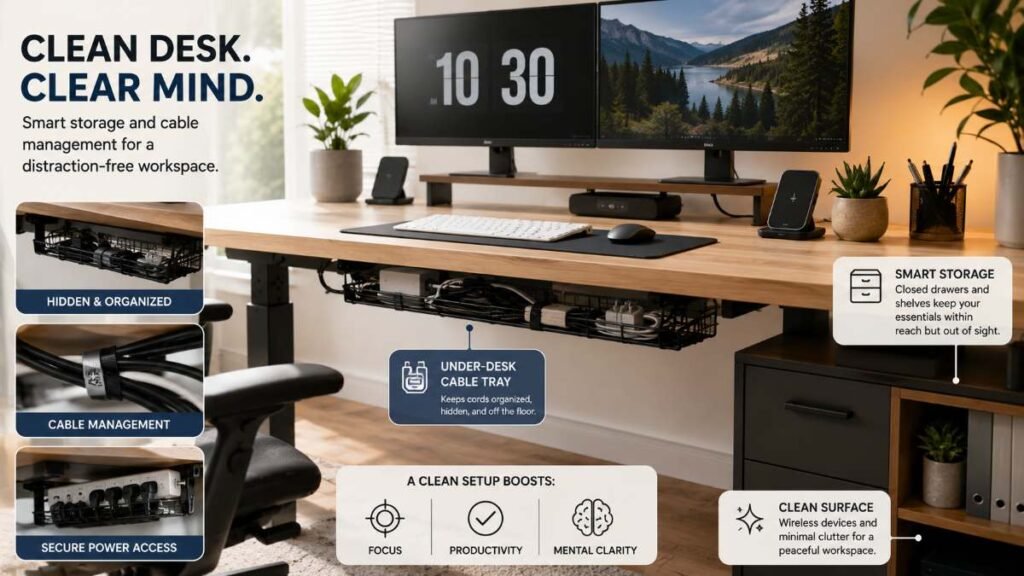
Physical clutter constantly competes for your cognitive attention. Exposed power strips, tangled cords, and scattered papers actively break your concentration.
- Tame Power Cables Under-Desk: Mount an under-desk wire tray or raceway to tuck away power bricks, surge protectors, and slack cables entirely out of sight.
- Balance Open and Closed Storage: Use open floating shelves for books and decorative accents, but keep active paperwork, dongles, and hardware inside closed drawers.
- Transition to Clean Wireless Gear: Upgrading to a quality wireless keyboard, precision mouse, and desktop charging pad instantly clears high-value desk real estate.
Keeping your environment comfortable also means managing room climate efficiently without cluttering floor space with portable heaters or fans. To maintain consistent, cost-effective climate control during long work stints, consider installing one of the best smart thermostats available today.
Critical Workspace Setup Errors to Avoid
- Setting Up on Soft Furniture Long-Term: Working regularly from a couch or bed can lead to ongoing postural strain, back discomfort, and sluggish mental focus.
- Using Unprotected Power Sources: Plugging high-end computing rigs and dual displays into cheap, ungrounded extension leads increases electrical risks and equipment safety hazards.
- Ignoring Room Acoustics: Hard tiles and bare walls bounce sound around, causing annoying echoes during client calls. Lay a thick rug beneath your desk or add heavy fabric drapes to dampen room echo.
For deeper technical standards on workspace safety and device connectivity, reference established guidelines from the OSHA Computer Workstation Ergonomics Guide or review modern home networking standards curated by the IEEE Standards Association.
Build Your Ideal Workspace Step-by-Step
Building a clean, high-performing workspace doesn’t have to happen all at once. Focus on the core foundational elements first: dial in your screen height, secure a highly supportive ergonomic chair, and align your room lighting to prevent eye fatigue. Once your physical foundation is rock solid, tackle cable routing and add vertical storage to keep your main desk surface completely clear.
By applying these practical home office setup ideas tailored to your actual daily workflow, you’ll protect your physical well-being, stay sharp through long sessions, and make every workday feel effortless. What’s the first improvement you’re bringing to your setup today?
Frequently Asked Questions
Q1: What is the best setup for a home office? Focus on ergonomics and lighting: pair an adjustable task chair with eye-level monitors and layered room illumination.
Q2: What are some ideas for organizing my home office? Try smart home office setup ideas like under-desk cable trays, vertical floating shelves, and clutter-free wireless gear.
Q3: How to create a stylish home office? Blend functional home office setup ideas with sleek aesthetics—matching wood tones, concealed wiring, and calm neutral wall shades.
Q4: How do I improve my home office setup? Upgrade comfort with practical home office setup ideas—optimize monitor distance, refine lumbar support, and add dynamic task lamps.
Author By: Dambar C. Rajbanshi About: A renovation strategist and home improvement enthusiast. Dambar specializes in budget-smart planning and functional kitchen design. He is dedicated to helping homeowners create spaces that perfectly balance beauty and practicality